
Repair Shop Starter Inventory: How to Stock Smart Without Overstocking Slow Models

The most common mistake new repair shops make isn't buying the wrong parts — it's buying too many of the right ones. A repair shop starter inventory should be lean enough to preserve cash flow but deep enough that you're not turning away the repairs that actually walk through your door.
Most "what parts to stock" guides give you a category list: screens, batteries, charging ports. That's obvious. What they don't tell you is how many of each model to carry, which models to skip entirely, and when it makes more sense to order on-demand than to hold stock. That's the difference between a $3,000 starter inventory that generates revenue from day one and a $15,000 inventory where half of it sits on your shelf for six months.
Here's a framework for building your first inventory based on actual repair demand patterns — not guesswork.
Need Wholesale Phone Repair Parts?
Factory-direct pricing from Shenzhen — OEM-quality screens, batteries & small parts.
Get Wholesale QuoteStart With Models, Not Part Categories
Every guide tells you to stock screens and batteries. The real question is: which phone models?
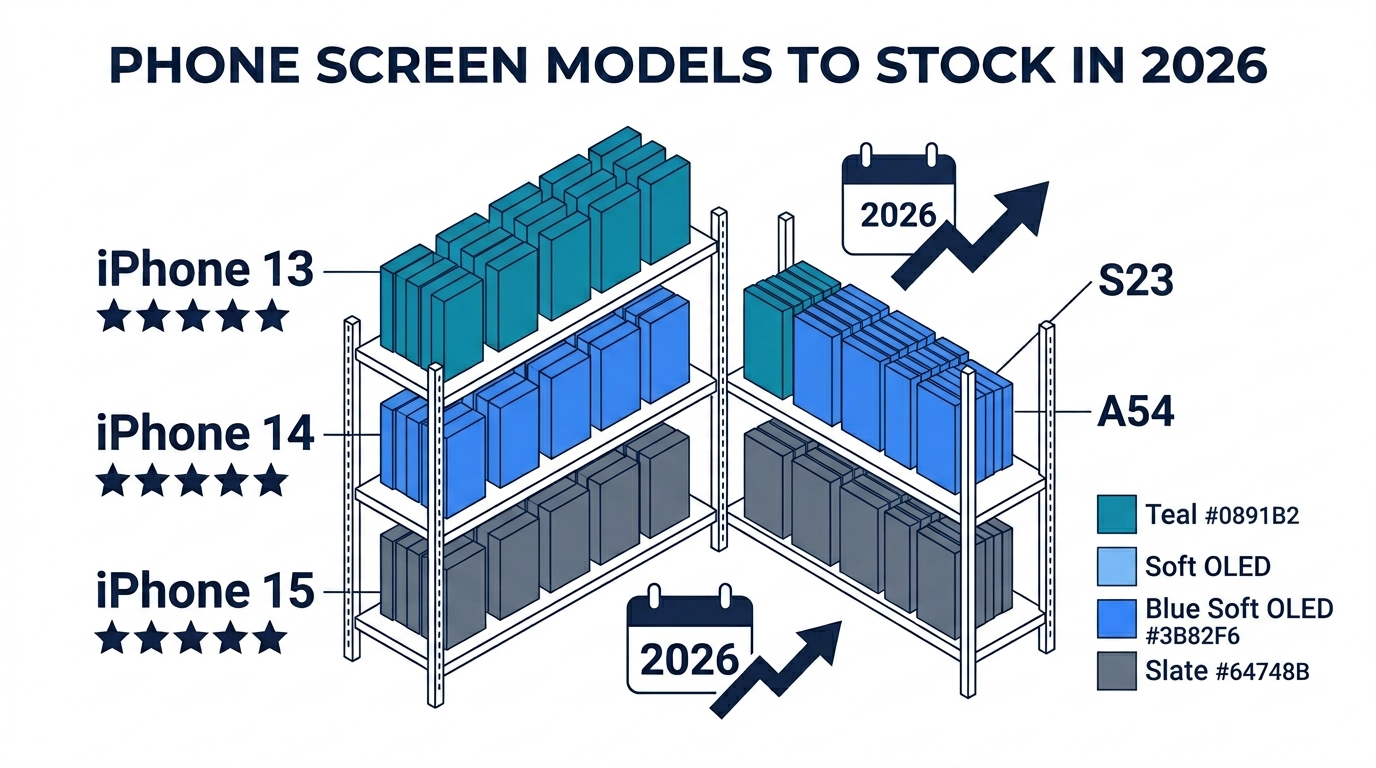
Your first inventory should focus on the 8–12 models that generate 70–80% of walk-in repairs in your market. For most US and UK repair shops in 2026, that means:
High-priority (stock screens + batteries + charging ports):
- iPhone 12, 13, 14, 15 series (these four generations cover the bulk of iPhone repairs)
- Samsung Galaxy S22, S23, S24 (if your area has significant Samsung traffic)
Medium-priority (stock screens only, order other parts on-demand):
- iPhone 11 (still common but declining)
- iPhone SE (2nd/3rd gen)
- Samsung Galaxy A-series (A14, A15 — high volume in some markets)
Skip for now:
- iPhone X and older (repair demand is dropping fast — customers are more likely to upgrade)
- Niche Android brands (Pixel, OnePlus, Xiaomi) unless your local market specifically demands them
- iPad and tablet screens (high cost per unit, low repair frequency for a new shop)
The exact model mix depends on your location. A shop near a university might see more budget Samsung A-series. A shop in a business district skews iPhone-heavy. Spend your first two weeks tracking every repair inquiry — even the ones you can't fulfill — to calibrate your model priorities.
How Many Units Per Model: The 2-Week Rule
This is where most new shops overstock. Here's a practical rule for your repair shop starter inventory:
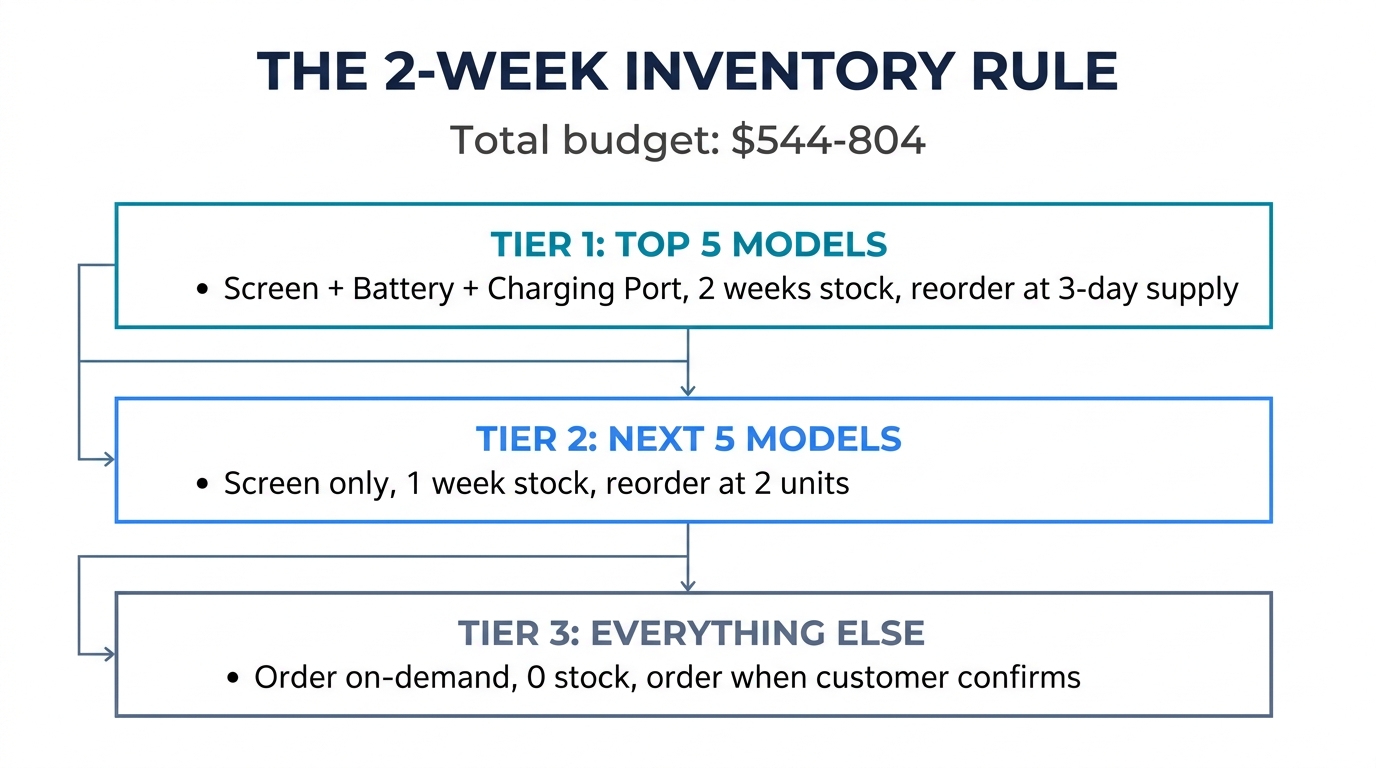
For your top 5 models, carry enough screens and batteries to cover 2 weeks of expected repairs.
If you expect 3–4 screen repairs per day (reasonable for a new shop), and roughly 40% are iPhone 13/14 series, that's about 6–8 iPhone 13/14 screens per week. So stock 12–16 screens across iPhone 13 and 14 models.
| Priority Tier | Parts to Stock | Quantity Rule | Reorder Trigger |
|---|---|---|---|
| Top 5 models | Screen + battery + charging port | 2 weeks of expected demand | When stock drops to 3-day supply |
| Next 5 models | Screen only | 1 week of expected demand | When stock drops to 2 units |
| Everything else | Nothing — order on-demand | 0 | Customer confirms repair, you order |
Why 2 weeks and not 4? Because as a new shop, your demand forecasts are guesses. A 2-week buffer gives you coverage without locking up capital in inventory you might not move. After 60–90 days of tracking actual repair volume, you'll have real data to adjust stock levels.
The Cash Flow Math
Let's put real numbers on this. A typical starter inventory using the 2-week rule:
| Part Type | Models Covered | Avg. Unit Cost | Units | Total |
|---|---|---|---|---|
| iPhone screens (Incell) | 4 models (12–15) | $15–22 | 16 | $280–350 |
| iPhone batteries | 4 models | $4–6 | 20 | $80–120 |
| iPhone charging ports | 4 models | $2–4 | 12 | $24–48 |
| Samsung screens | 2–3 models | $18–30 | 6 | $108–180 |
| Samsung batteries | 2–3 models | $4–7 | 8 | $32–56 |
| Small parts (speakers, cameras) | Mixed | $2–5 | 10 | $20–50 |
| Total | $544–804 |
That's a starting parts inventory under $1,000 — enough to handle the most common repairs while keeping cash available for tools, rent, and marketing. Compare this to shops that drop $5,000+ on inventory before seeing their first customer, then spend months trying to move slow models.
Want to test quality before committing to bulk? We offer sample packs across multiple iPhone and Samsung models — screens, batteries, and small parts with grade documentation. Request a starter sample pack here.
Which Parts to Stock vs. Order On-Demand
Not every part category needs shelf inventory. The decision depends on two factors: how often the repair comes in and how fast your supplier can deliver.
Always stock (high frequency, customer expects same-day):
- Screens for your top models — this is 60–70% of your repair revenue
- Batteries for your top models — fast repair, high margin, customers expect walk-in-and-done
- Charging ports for top 4–5 iPhone models — common repair, parts are cheap to hold
Stock a few units (moderate frequency):
- Back glass for iPhone 12–15 (if you do back glass repair)
- Earpiece and loudspeakers — cheap to hold ($1–3 each), moderate demand
- Front cameras for iPhone 12–14 — needed for Face ID repairs
Order on-demand (low frequency or high unit cost):
- Rear cameras — expensive ($15–30), less common repair, customers will wait 1–2 days
- Housing/frame assemblies — very expensive, very specific to model + color
- iPad/tablet screens — high cost ($40–80+), infrequent demand
- Motherboard components (if you do micro-soldering) — order per job
The key principle: hold inventory on parts where same-day service is your competitive advantage. For everything else, a reliable supplier with 2–3 day delivery is more cost-effective than shelf stock.
Avoiding the Three Most Common Overstocking Mistakes
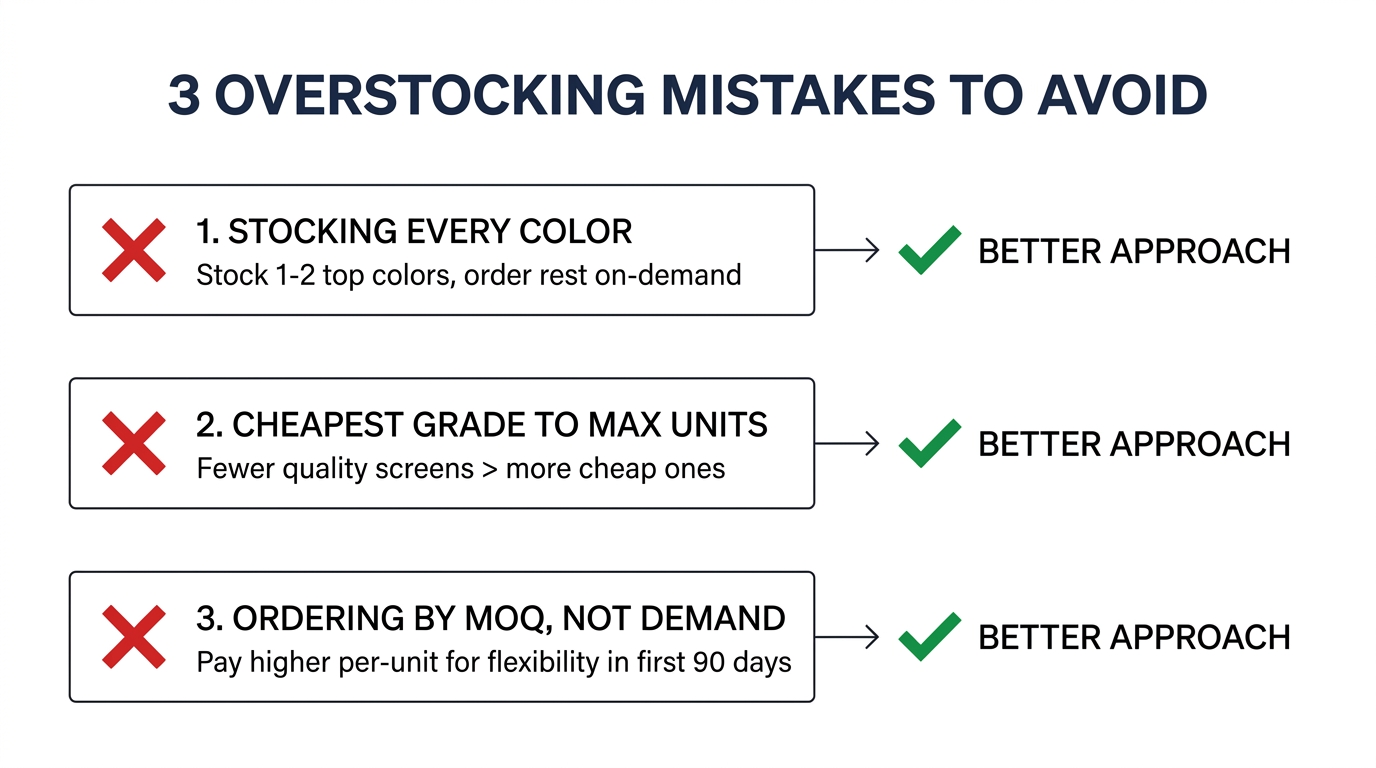
Mistake 1: Stocking Every Color Variant
iPhone 13 screens come in different colors for the proximity sensor area, and Samsung screens vary by color. New shops often buy 3–4 units of every color.
Better approach: Stock the 1–2 most common colors (black/midnight is always the highest volume). Order other colors on-demand. A customer with a pink iPhone 13 will wait one extra day rather than go to a competitor — the repair availability matters more than the color match speed.
Mistake 2: Buying the Cheapest Grade to Maximize Units
With a limited budget, it's tempting to buy low-grade Incell screens at $8–10 and stock more units. This backfires: low-grade screens generate more customer complaints, more re-dos, and more negative reviews — exactly what a new shop can't afford.
Better approach: Buy fewer units of a mid-to-high grade. Five good screens that produce zero callbacks are more profitable than ten cheap screens where two come back within a week. (See our guide on common iPhone screen quality problems for what to watch for.)
Mistake 3: Ordering Based on Supplier MOQ, Not Actual Demand
A supplier offers iPhone 12 screens at $14 each for 50+ units, versus $17 each for 10 units. The $3 savings per unit is attractive — but 50 iPhone 12 screens is a 3-month supply for many new shops. That's $700 tied up in a single model that's declining in repair volume.
Better approach: Pay the higher per-unit price for smaller quantities in your first 90 days. The flexibility is worth more than the unit discount. Once you have real demand data, then negotiate bulk pricing on your proven high-volume models.
For more on structuring your first real bulk order, see our guide on how to structure the first order after a test order.
Your First 90 Days: From Repair Shop Starter Inventory to Optimized System
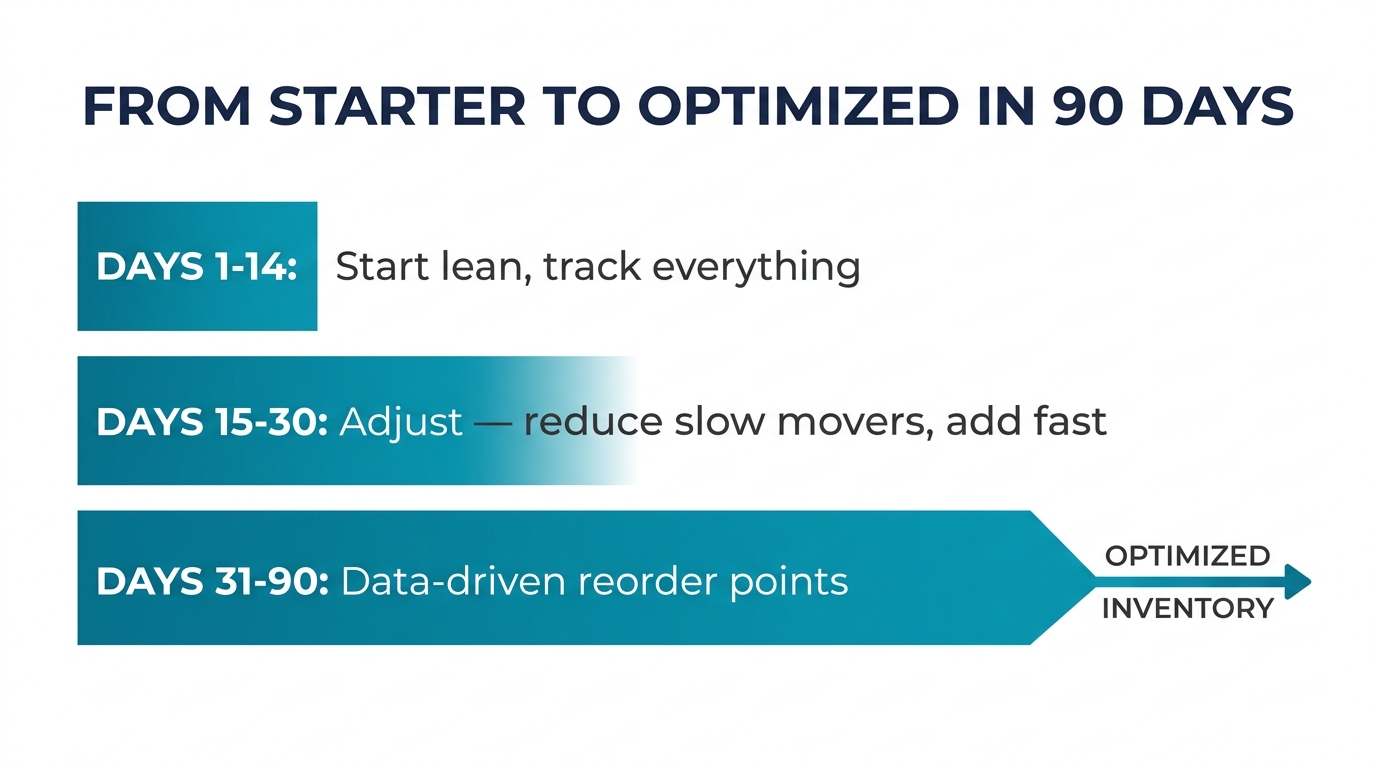
Days 1–14: Start with the minimal 2-week inventory outlined above. Track every repair request — including the ones you turn away because you don't have the part.
Days 15–30: Review your first two weeks of data. You'll likely find:
- 2–3 models you overstocked (parts sitting untouched)
- 1–2 models you understocked (had to turn away repairs or order rush)
- A few surprise requests you didn't anticipate (this varies by location)
Adjust: reduce stock on slow movers, increase on fast movers. Start stocking any model that generated 3+ repair requests you couldn't fill.
Days 31–90: By now you have real demand data. Set reorder points for each model based on your actual weekly repair volume. Start negotiating better pricing with your supplier for your proven high-volume models — you now have data to justify larger orders on specific SKUs.
After 90 days: Your inventory is no longer a "starter" — it's a demand-driven system. You should know your top 5 models by repair volume, your average weekly screen/battery consumption per model, and your ideal reorder cycle. This is when bulk purchasing starts making financial sense.
Frequently Asked Questions
How much should a new repair shop spend on initial parts inventory?
For a focused starter inventory covering iPhone and Samsung screens, batteries, and common small parts, plan for $500–1,000. This covers 2 weeks of parts for your top models using mid-grade components. Avoid going above $2,000 before you have at least 30 days of actual repair data — anything beyond that is guesswork that ties up capital you'll need elsewhere.
Should I stock Samsung parts if most of my customers have iPhones?
It depends on your market. In the US, iPhone repairs typically outnumber Samsung 3:1 or 4:1 in most areas. But Samsung A-series phones are popular in certain demographics. Start with iPhone-only inventory for your first two weeks, track Samsung inquiries, and add Samsung stock only for models that generate consistent demand. Don't stock Samsung just because you "might" get requests.
Is it better to buy from a local distributor or directly from China for starter inventory?
For your first inventory, a local or domestic distributor is almost always better. You get 1–3 day shipping (critical when you're still learning your demand patterns), smaller MOQs, easier returns on defective parts, and no customs delays. The per-unit cost is higher, but the flexibility and speed are worth it when you're still figuring out what sells. Consider direct China sourcing once you have 90+ days of demand data and know exactly which models and quantities to order. (See our comparison of local supplier vs. China direct for a detailed cost-benefit analysis.)
Build Lean, Then Scale With Data
Your repair shop starter inventory is a hypothesis — an educated guess about what your customers need. The faster you test that hypothesis with real repairs, the faster you move from guessing to knowing.
The shops that succeed aren't the ones with the biggest initial inventory. They're the ones that start lean, track their demand from day one, and scale their inventory based on what actually sells. Every dollar in unsold inventory is a dollar that could have been spent on marketing, better tools, or higher-grade parts that generate fewer callbacks.
Start with the 2-week rule. Track everything. Adjust in 30-day cycles. By month three, your inventory will be optimized around your actual business — not around a supplier's recommended order list.
Planning your first parts order? PRSPARES offers flexible MOQs and starter sample packs so you can test quality across models before committing to volume. Tell us what you need.
Related reading: How Repair Shops Should Structure the First Real Order After a Test Order | Buying iPhone Batteries in Bulk for Your Repair Business