
Genuine Part Pairing Problems After Replacement: What Repair Shops Should Ask Suppliers Before Buying

The expensive mistake is not buying the wrong part. It is buying the wrong post-install outcome.
A repair shop orders a part sold as genuine, installs it cleanly, and the phone still shows Used, Unknown, or Finish Repair. The screen works. The battery charges. The camera opens. But the customer sees a warning, asks questions, and suddenly the job becomes a callback, a refund request, or a supplier argument.
That is why these genuine part pairing problems matter commercially. In current iPhone workflows, physical authenticity is only one layer of the risk. The other layer is what the phone can verify, calibrate, and record after the repair. If a shop buys on the words “genuine,” “OEM pull,” or “used original” alone, it is buying only part of the story.
This article is for repair shop owners, parts buyers, and distributors. It explains why a genuine Apple part can still create a pairing-related problem after replacement, what changed with Repair Assistant and iPhone 15+, and what supplier questions matter before you issue the PO.
Looking for a Reliable Wholesale Parts Supplier?
Factory-direct from Shenzhen — transparent grades, invoices & 12-month warranty.
Get Wholesale QuoteWhat “Pairing Problems” Actually Mean in 2026
In the repair trade, “pairing problem” gets used too loosely. It can refer to several different device-side outcomes:
- the phone shows Unknown Part after replacement
- the part shows as Used in Parts and Service History
- the phone still shows Finish Repair because calibration was not completed
- the part is recognized, but True Tone, Battery Health, Face ID, or another software-linked function does not come back as expected
- the part works physically, but the customer no longer trusts the repair because of what iOS shows
That last one is the real B2B issue.
Apple’s own documentation makes an important distinction. In About iPhone Parts and Service History, Apple explains that repaired iPhones can show Genuine, Used, Unknown, or Unverified depending on the part and its verification state. Apple also states that genuine parts are calibrated with factory data stored on Apple’s servers and retrieved to finish the repair. If the repair is not fully completed, the device can continue to work while still showing Finish Repair until the process is completed with Repair Assistant.
So a pairing problem is not just a fake-part problem. It is often a verification-state problem.
Why a Genuine Part Can Still Create a Customer Complaint
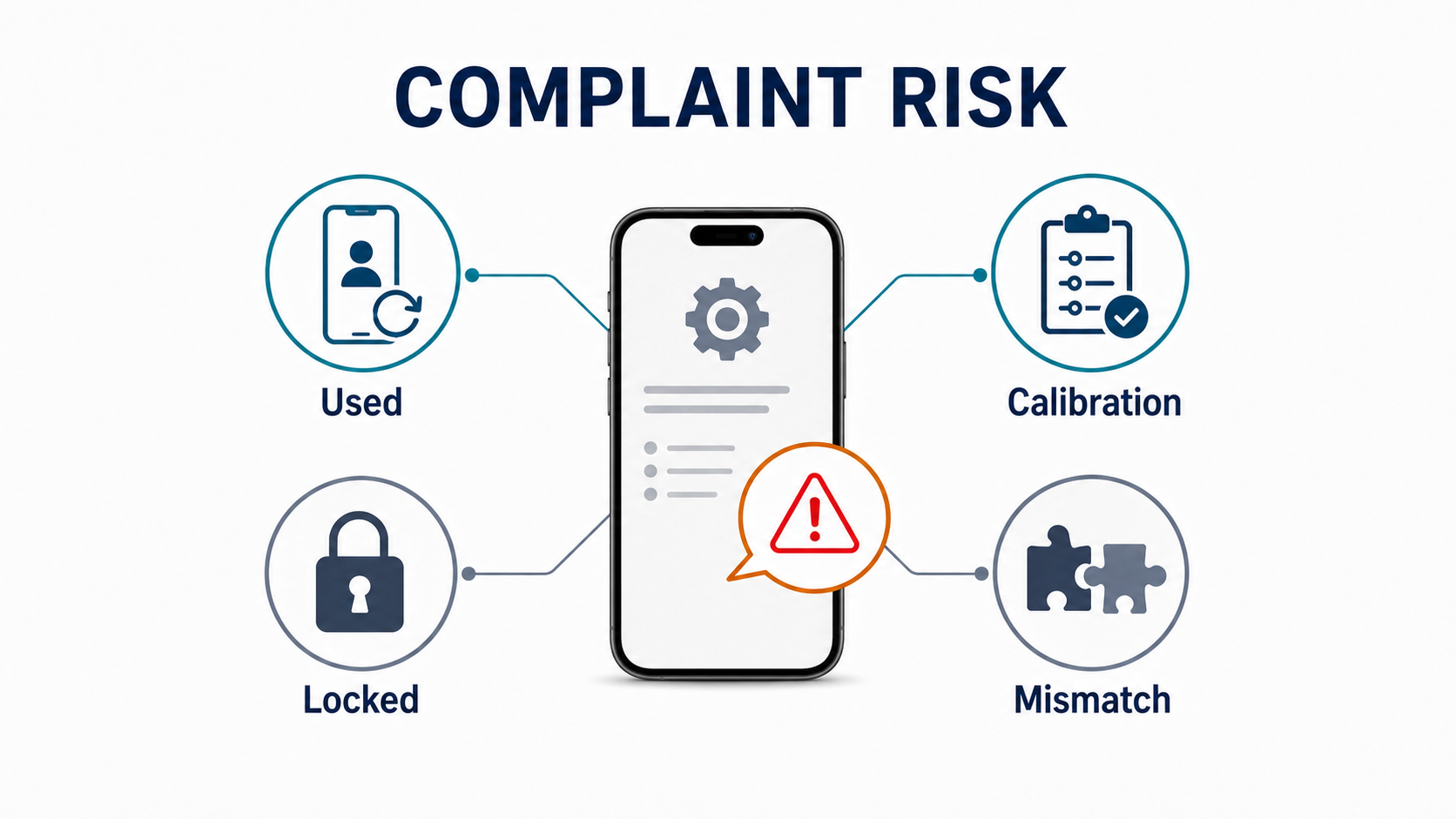
This is the misunderstanding that creates most purchasing mistakes.
If your shop already deals with aftermarket screen customer complaints or recurring return arguments around “original quality” parts, this topic sits one step earlier in the same chain: the mistake often starts at purchasing, not at the counter.
A genuine Apple part can still create trouble for at least four different reasons.
1. The “Used” Warning on Genuine Parts
Apple now formally recognizes used genuine parts in supported newer repair workflows. Apple’s support pages for genuine iPhone displays and genuine iPhone batteries say that with iPhone 15 and later using iOS 18 and later, a previously installed part can show a Used message.
That means a used genuine part can be authentic and still create a callback if the customer expected the phone to look like it received a brand-new part.
For a repair shop, this changes the sales promise. “Genuine” no longer automatically means “no customer-visible history message.”
2. Calibration Risk on Cross-Device Genuine Parts
Apple says genuine Apple parts are individually calibrated using server-side factory data. That means a genuine part moved from one device to another is not just a piece of hardware. It is part of a verification and calibration workflow.
This is where shops get trapped by vague supplier language. A supplier may be telling the truth when they say the part is original. But that still does not answer the questions that matter most on the bench:
- Will this exact model support on-device calibration?
- Will Repair Assistant finish cleanly?
- Will the phone show Genuine, Used, Unknown, or Finish Repair afterward?
- Does this part require an additional workflow the shop is not planning for?
If the supplier cannot answer those, the shop is not actually buying a predictable repair result.
3. Donor History and Part-Level Activation Locks
Apple has made donor history part of the sourcing risk.
In its 2024 newsroom update on used genuine parts, Apple said it would extend Activation Lock to individual iPhone parts. Apple’s support note on parts locked to someone else’s Apple Account confirms that if Repair Assistant detects a previously used part that is protected by Activation Lock, calibration can be restricted until the part is unlocked.
That means a part can be:
- physically genuine
- electrically functional
- visually clean
- and still commercially risky because its donor history is bad
That is not a bench repair issue. That is a sourcing-chain issue.
4. “Genuine” as a Label vs as a Verifiable State
In the independent parts market, “genuine” often gets blended with other trade terms:
- new genuine Apple part
- used genuine Apple part
- OEM pull
- refurbished original
- aftermarket compatible but premium quality
Those are not the same commercial promises.
Apple’s phone only recognizes device-side states such as Genuine, Used, Unknown, Unverified, and Finish Repair. The supplier’s vocabulary and Apple’s vocabulary are not the same system. That mismatch is one of the biggest causes of returns and misunderstandings.
This is also why this article should sit beside our iPhone Unknown Part warning and IC transfer guide instead of repeating it. That article explains one major warning path around screens and IC transfer. This article is broader: it is about how repair shops should buy parts when “genuine” by itself is no longer enough information.
New Genuine vs Used Genuine vs OEM Pull vs Refurbished Original vs Aftermarket
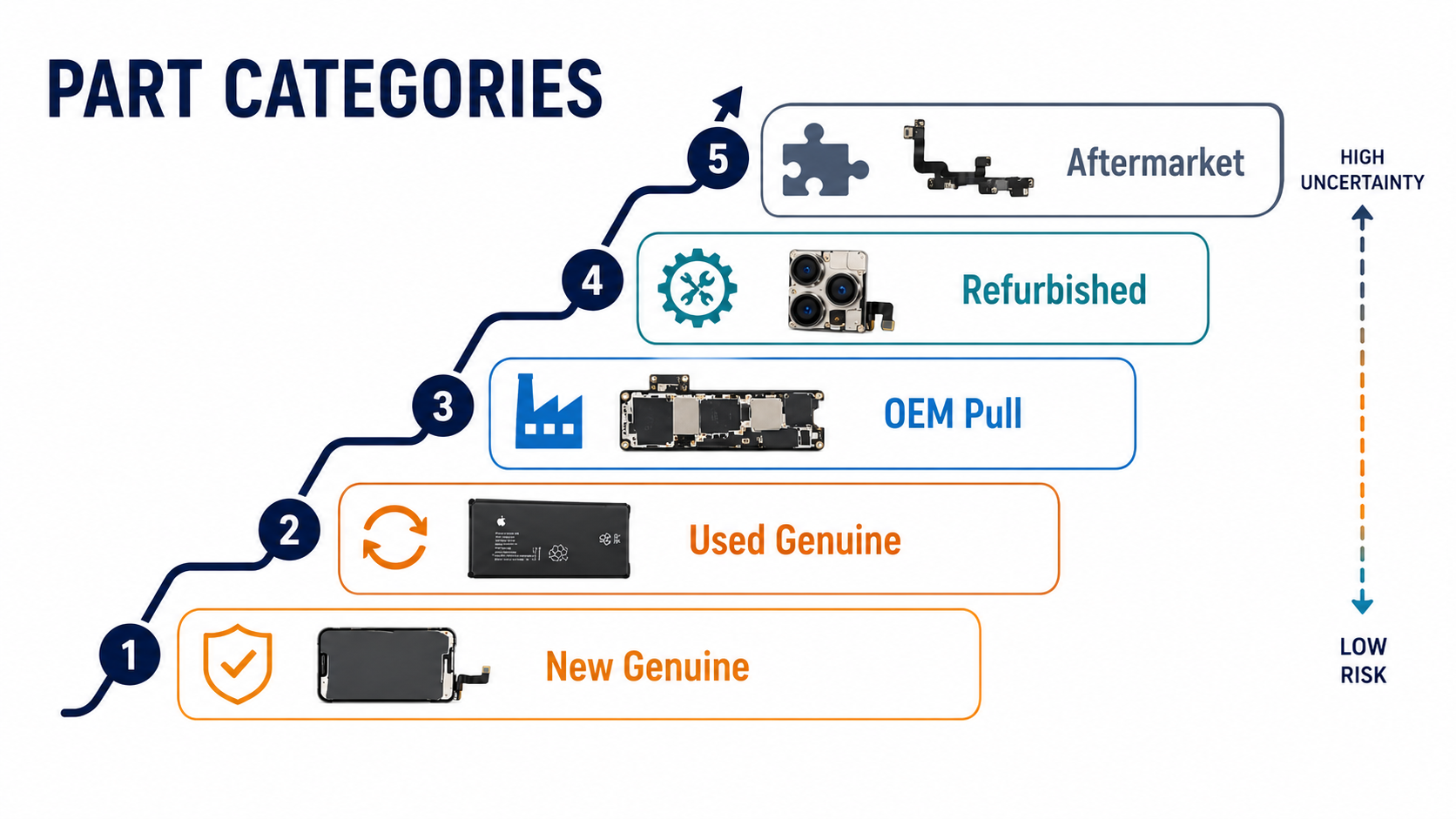
Before ordering, shops should force every supplier to classify stock in language that actually maps to repair outcomes. The table below summarizes what to expect from each category before reading the longer notes.
| Part Type | Expected Post-Install State | Calibration / Workflow | B2B Risk Level |
|---|---|---|---|
| New genuine Apple | Genuine | Repair Assistant completes against Apple servers | Low — predictable when calibration finishes cleanly |
| Used genuine Apple | Used (on iPhone 15+ / iOS 18+) | Repair Assistant + donor unlock check | Medium — must be disclosed to customer before the job |
| OEM pull / original pull | Usually Used; sometimes Unknown | Repair Assistant + donor history verification | Medium-High — needs written proof of donor history |
| Refurbished original | Often Unknown if components were modified | May not pass Repair Assistant cleanly | High — verify rebuild scope and tested model+iOS before stocking |
| Aftermarket compatible | Unknown by default; Genuine only with validated workflow | Workflow-specific (programmer write, IC transfer, paired flex, etc.) | Variable — depends entirely on supplier documentation |
New genuine Apple part
This is the least ambiguous category. Apple’s official supply routes include Apple repair channels, Self Service Repair, and Apple’s Genuine Parts Distributor program. Apple’s Parts Support for iPhone page is useful here because it separates new genuine Apple parts from used Apple parts at the channel level. If a new genuine part is installed correctly and the required calibration flow is completed, the expected post-repair state should be Genuine rather than Used.
Used genuine Apple part
This is real Apple hardware that was previously installed in another device. Apple treats this as a meaningful separate state. On supported iPhone 15+ workflows, it may show as Used after installation even when the part is authentic and works correctly.
That is why a used genuine part is not the same thing as a “problem-free original part.” It may be technically valid but still require better expectation-setting with the customer.
OEM pull / original pull
In the trade, this usually means an original part harvested from a donor device. In practical terms, that often makes it a used genuine part. But it is still market language, not Apple system language.
If a supplier says “OEM pull,” you still need to ask:
- was it previously installed?
- what on-device result should I expect?
- has it been modified or rebuilt?
- is donor history clean?
Refurbished original
This usually means an original part that has been reconditioned, often by replacing glass, restoring cosmetic appearance, or rebuilding the assembly around original components.
That may still be a commercially good choice. But a rebuilt assembly is not the same as an untouched donor part. Apple’s own definition of Unknown includes parts that have been modified or are otherwise unable to be verified. So a refurbished original part may sit in a different risk category from a straightforward used genuine pull.
Aftermarket compatible part
This is not genuine Apple hardware. But in some cases it may still be the safer buying decision if the supplier documents the expected post-install behavior honestly.
REWA’s article on an aftermarket screen that passes iOS 18.3 Repair Assistant without IC swap shows why the market is changing: some aftermarket parts are now being sold around verified compatibility claims, not just around price.
That leads to a useful buyer rule:
A well-documented aftermarket part may be safer to buy than a vaguely described “genuine” part if your shop cares more about predictable post-install results than about the label on the carton.
What Changed With Repair Assistant and iPhone 15+
With iOS 18, Apple shifted the procurement question from “Will this part work?” to “What will the phone say after the repair?” That single shift changes how shops should buy.
According to Apple’s Repair Assistant documentation, after a part is replaced, Repair Assistant installs calibration data to finish the repair. Apple’s 2024 newsroom update also said used genuine Apple parts would be supported in expanded repair options, with on-device calibration and visible differentiation between new and used parts.
For repair shops, that changes the real procurement question.
The old buying question was:
- “Will this part work?”
The better buying question now is:
- “What exactly will the phone say and do after this part is installed and the repair is finished?”
That shift matters because customer complaints are driven by visible outcomes, not by supply-chain theory.
A screen that works but shows Unknown can create a callback. A battery that charges but still creates a history warning can create a callback. A used genuine part that shows Used without prior disclosure can create a callback.
That is why repair shops should now buy with a device-outcome mindset rather than a parts-label mindset.
What Repair Shops Should Ask Suppliers Before Buying
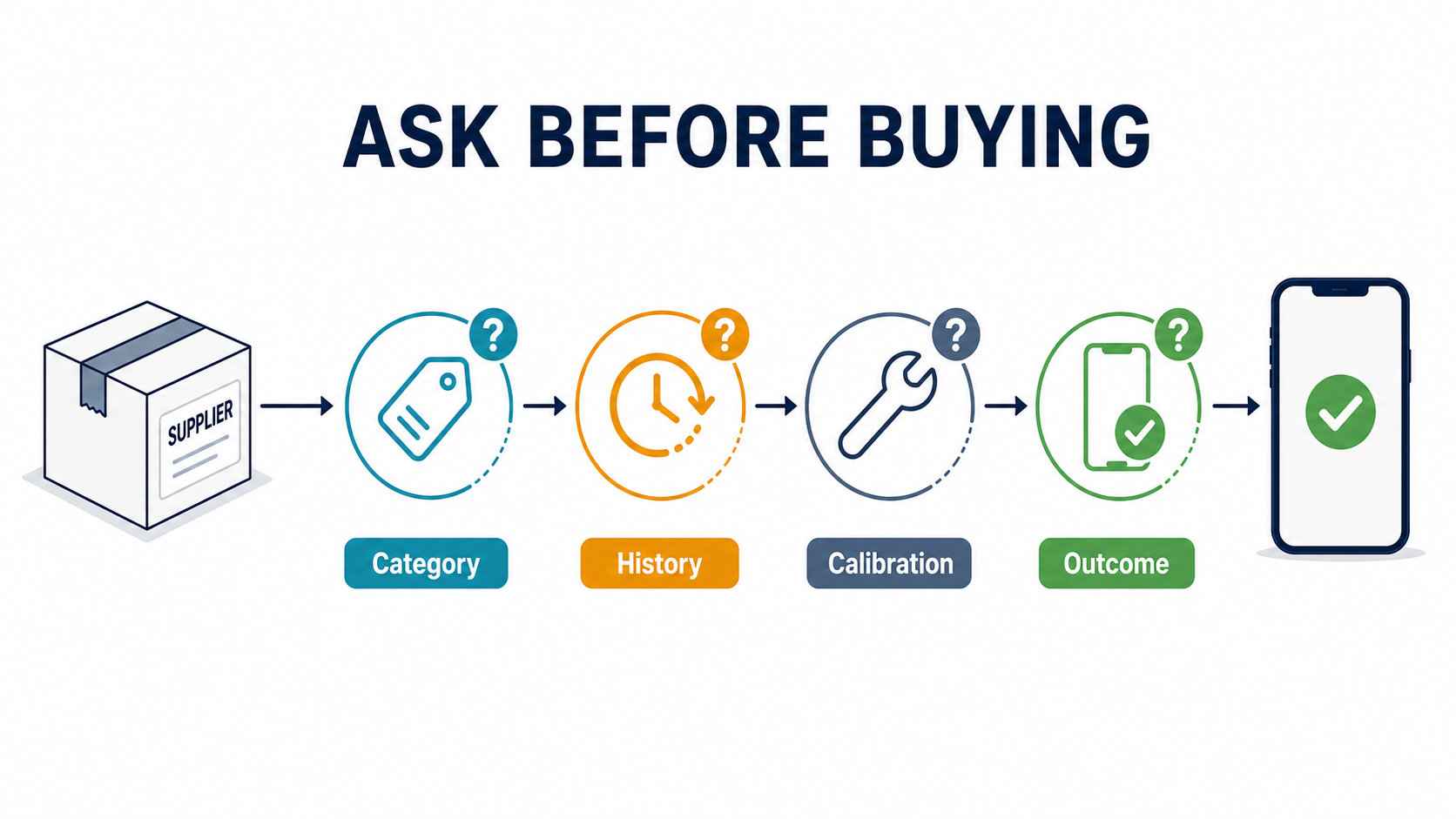
This is the part most SERP pages do not give clearly enough.
Before issuing a PO, ask these questions in writing.
1. What exact category is this part?
Do not accept fuzzy wording.
Have the supplier classify the SKU as one of the following:
- new genuine Apple
- used genuine Apple
- OEM pull
- refurbished original
- aftermarket compatible
If they blur those categories together, you already have a dispute risk.
2. What is the sourcing path?
Ask whether the part comes from:
- Apple repair channel
- Self Service Repair
- Apple’s Genuine Parts Distributor path
- harvested donor device
- refurbisher / rebuild line
- aftermarket factory
This question matters because “genuine” without a sourcing path is still incomplete information. For a broader supplier-screening framework, compare this step with our how to choose a phone parts supplier guide.
3. Has this part ever been installed in another device?
If yes, ask the next question immediately:
- Should I expect the phone to show Used after installation?
For iPhone 15+ workflows, this is one of the highest-value questions a buyer can ask.
4. What exact post-install result should I expect on this model?
This may be the single best supplier question on the list.
Do not ask only whether the part is “good.” Ask what the phone will show after repair:
- Genuine
- Used
- Unknown
- Finish Repair pending
- no Battery Health / no True Tone / limited function
If the supplier cannot answer in those terms, they are selling parts, not repair outcomes.
5. Does this part require Repair Assistant, programming, IC transfer, paired flex transfer, or another calibration step?
This matters whether the part is genuine or not.
Shops need to know in advance whether the workflow requires:
- Repair Assistant
- programmer writing
- IC transfer
- paired flex transfer
- donor unlock handling
A part that is fine in one shop may be a problem part in another if the calibration workflow is not realistic for that bench.
6. Is donor history clean of Activation Lock or Lost Mode restrictions?
Apple’s own workflow makes this a legitimate sourcing question, not an edge case.
Ask:
- is there any lock-history risk?
- what proof do you keep?
- what happens if the part is genuine but calibration is blocked because of prior device history?
7. Has the part been rebuilt or modified?
For screens especially, ask whether the assembly has been:
- re-glassed
- re-flexed
- reworked in sensor path
- otherwise rebuilt
For the shop, this matters because “refurbished original” and “untouched genuine pull” are not the same verification risk.
8. What is your warranty scope for pairing-related problems?
This is where many supplier arguments start.
The part may be physically functional. But if the post-install verification state is not what was described, is that covered by:
- return
- credit
- replacement
- or not covered at all?
Get that answer before installing 20 units into customer devices. If you need to formalize those terms, align the wording with our phone screen warranty and return policy guide so your PO, QC file, and warranty policy are saying the same thing.
Receiving QC for Pairing-Sensitive Parts
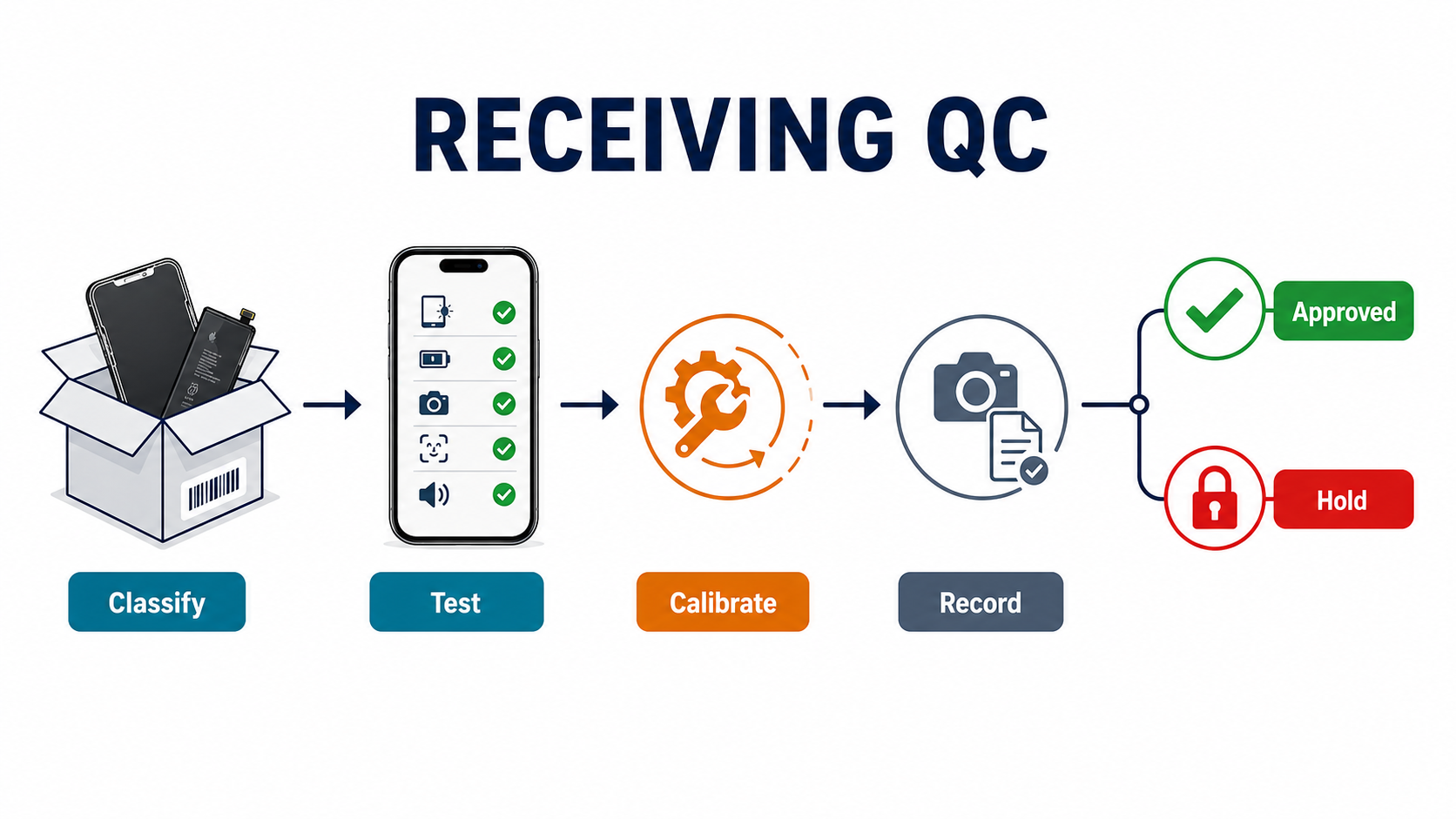
Once the stock arrives, do not wait for a customer repair to discover what the lot really is.
A better receiving workflow looks like this:
Reclassify incoming stock using your own taxonomy
Do not just copy the supplier’s words into your internal stock system.
Tag incoming SKUs as:
- new genuine
- used genuine
- OEM pull
- refurbished original
- aftermarket compatible
That alone reduces quote-stage confusion later.
Save supplier claims at goods-in
At receiving, keep:
- listing screenshot
- invoice wording
- lot number / serial label
- all “genuine / original / pairable” claims
Because when a dispute starts, the screenshot is often as important as the part itself.
Test on same-model devices with current iOS
If the part is pairing-sensitive, receiving QC should reflect Apple’s current software behavior, not just visual inspection.
Use same-model bench devices where possible and test on current iOS. Apple itself notes that updates can later prompt a phone to finish a repair if a used part was installed or if a prior calibration was incomplete.
Run Repair Assistant where supported
If the part and model support it, complete the actual flow and record the result:
- did Repair Assistant complete?
- did the phone show Genuine, Used, Unknown, or Finish Repair?
- did the expected functions return?
Capture the result before the part goes into customer jobs
Record:
- Parts and Service History state
- True Tone / Battery Health / camera behavior if relevant
- any warning or issue message
If the real result differs from the supplier’s promise, quarantine the batch before it reaches paid jobs.
This is the same business logic behind our wholesale iPhone screens buyer checklist and iPhone battery specs wholesale buying guide: do not judge the part only as hardware. Judge it as a complete repair outcome.
How to Document a Pairing-Related Complaint Without Guessing
When a complaint comes in, the first mistake is to jump straight to “fake part” or “supplier issue.”
The smarter move is to isolate which layer failed.
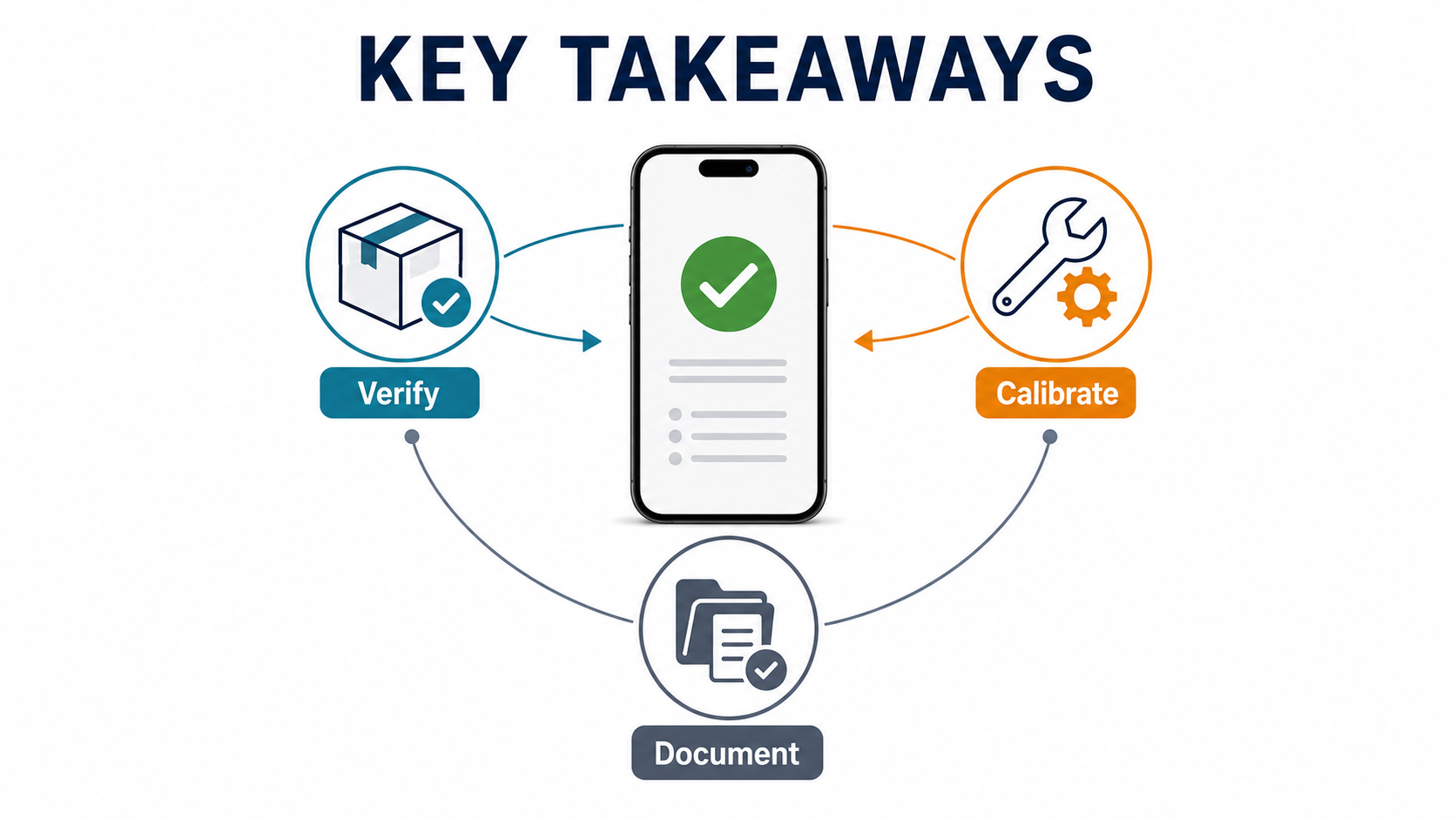
Document these items first:
- exact iPhone model
- exact iOS version
- which part was replaced
- supplier description and invoice wording
- whether the part was sold as new genuine, used genuine, OEM pull, refurbished original, or aftermarket
- before/after screenshots of Parts and Service History
- whether Repair Assistant was run
- what final message appeared
- whether there is actual function loss or only a customer-visible status issue
Then capture function evidence:
- display: True Tone, touch, brightness, auto-brightness, proximity
- battery: Battery Health, charging behavior, warnings
- camera: focus, preview, lens switching, Face ID where relevant
Also capture the part itself:
- labels
- packaging
- flex photos if relevant
- timeline of install, first complaint, and any later iOS update
One Apple-specific point matters here: Apple says only the most recent service appears in Parts and Service History. That means if you rework the phone before collecting evidence, part of the easiest device-side record can disappear from view. Capture evidence first, then rework. If your shop needs a customer-facing response path after that, bridge this evidence file into our repair shop customer dispute script rather than improvising the conversation on the counter.
Frequently Asked Questions
Can a genuine Apple part still show a warning after replacement?
Yes. A genuine part can still create a customer-visible problem if it is previously used, if calibration is incomplete, if the system cannot verify it cleanly after repair, or if donor history creates restrictions. “Genuine” does not automatically mean “no history message.”
What is the difference between Used and Unknown in Parts and Service History?
On supported newer workflows, Used can refer to a previously installed genuine Apple part. Unknown is broader and can appear when the system cannot verify the part properly, when the part is not functioning as expected, when the repair was not fully linked/verified, or when the part is modified or otherwise unverifiable. For a repair shop, Used is often a disclosure problem; Unknown is usually a bigger trust problem.
Should repair shops avoid used genuine parts completely?
No. Used genuine parts can still be commercially valid if the supplier discloses them clearly, donor history is clean, and the expected post-install result is understood before the job is sold. The problem is not “used” by itself. The problem is buying used stock with unclear provenance and vague promises.
What is the best supplier question to ask before buying?
Ask this:
After installation on the target model, what exactly will the phone show in Parts and Service History, and what steps are required to get there?
That question forces the supplier to move beyond adjectives and explain the real repair outcome.
Buy the Outcome, Not Just the Label
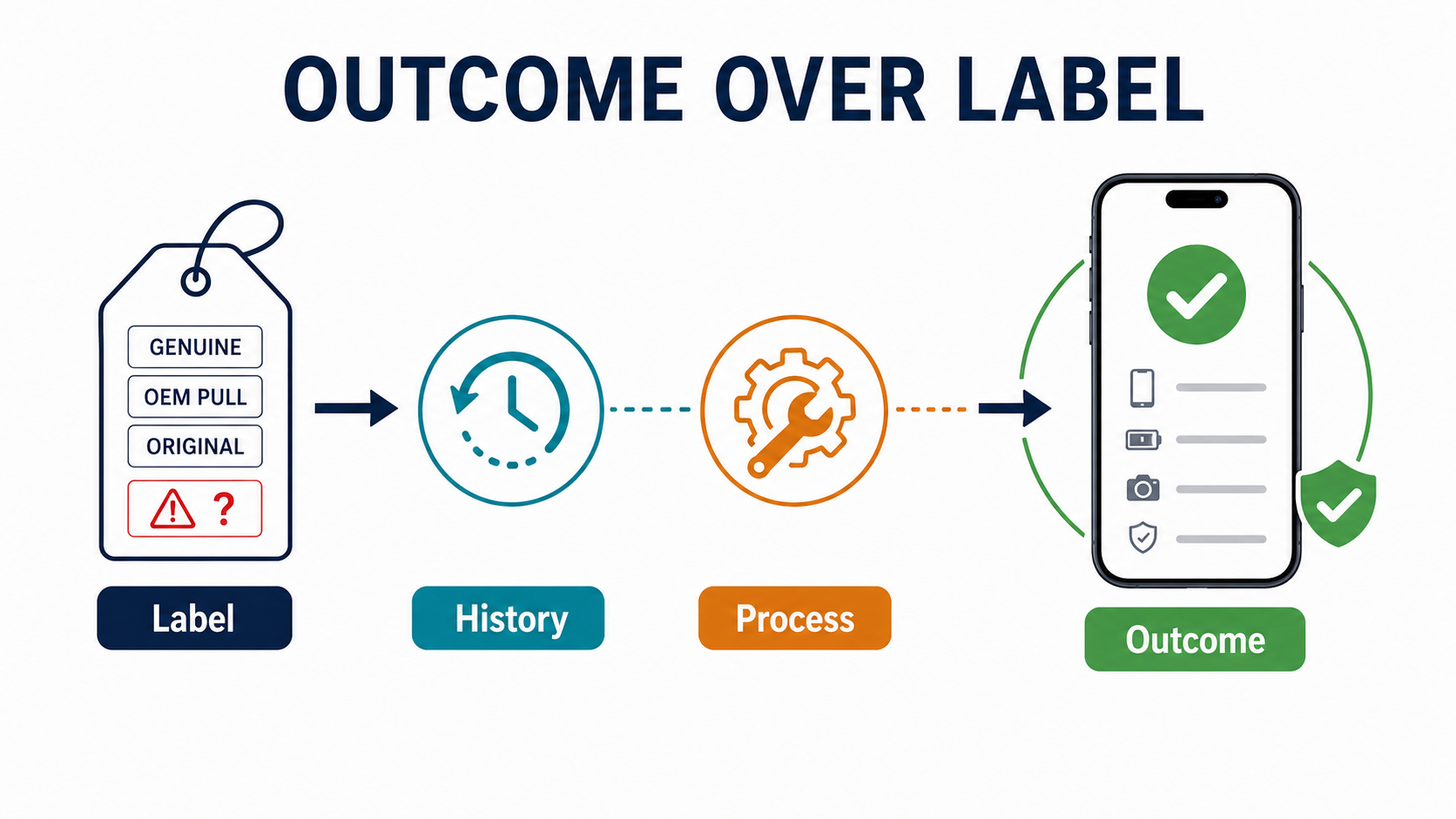
The safest repair shops in 2026 are not the ones that buy only the cheapest stock or only the parts described as genuine. They are the ones that buy with a clear understanding of what the phone will say and do after the repair is complete.
That is the real impact of parts pairing, used-part support, and Repair Assistant. A genuine part can still create callbacks if the supplier does not declare its history, calibration path, and expected device-side result. A well-documented compatible part can sometimes be easier to sell and support than a vaguely described “original” one.
So before your next order, stop asking only whether the part is genuine. Ask whether it is new or previously used, whether the model supports the intended calibration path, whether there is any lock-history risk, and what the customer will see after the repair.
If you need help comparing iPhone screens, batteries, cameras, or other pairing-sensitive parts before ordering, send PRSPARES your model list and target grade. We can help you sort parts by provenance, expected post-install behavior, and callback risk before you commit to sample or bulk stock.