
Most Common iPhone Screen Problems in 2026 (and How to Fix Them)
iPhone screen problems range from minor annoyances to phone-killing failures — and knowing which one you're dealing with saves you from paying for repairs you don't need or ignoring a problem that's about to get worse.
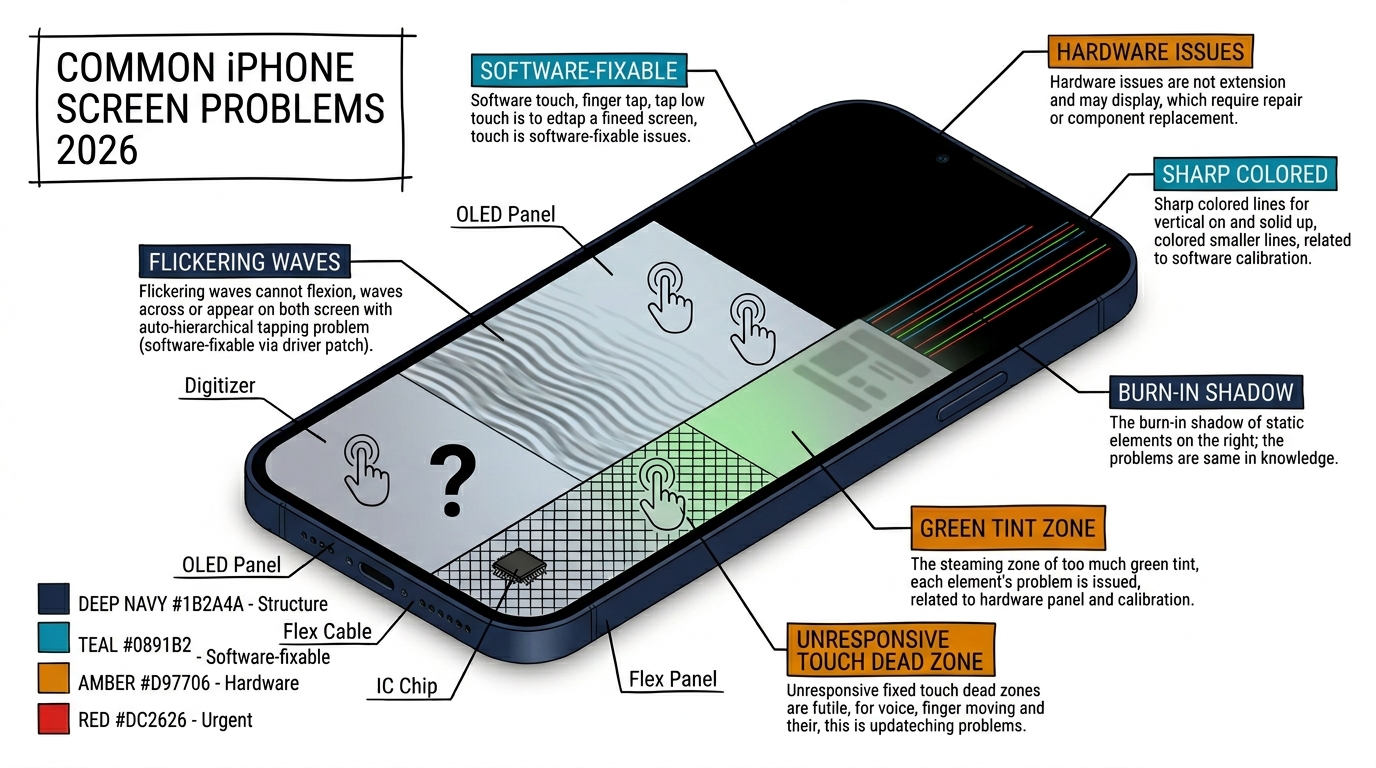
The eight issues below cover virtually every iPhone screen problem reported in 2026, from the iPhone 11 through iPhone 16 series. For each one, you'll get the likely cause, a quick fix to try first, and what it costs if you need professional repair. Some of these are free five-minute fixes. Others require a screen replacement. The key is diagnosis — knowing which is which before you spend money.
Sourcing Replacement Screens in Bulk?
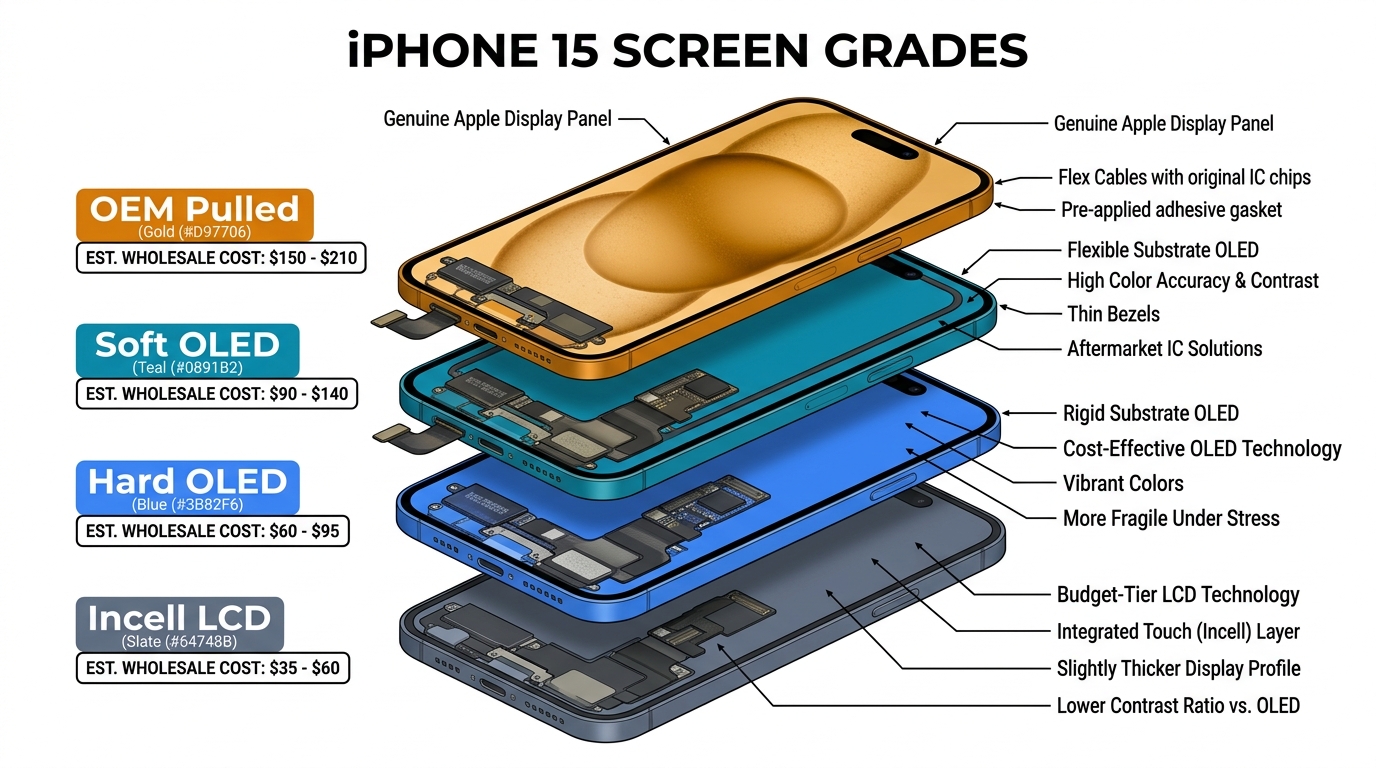
Incell / Hard OLED / Soft OLED grades — wholesale pricing, grade comparison on request.
Get Wholesale Quote1. iPhone Screen Flickering
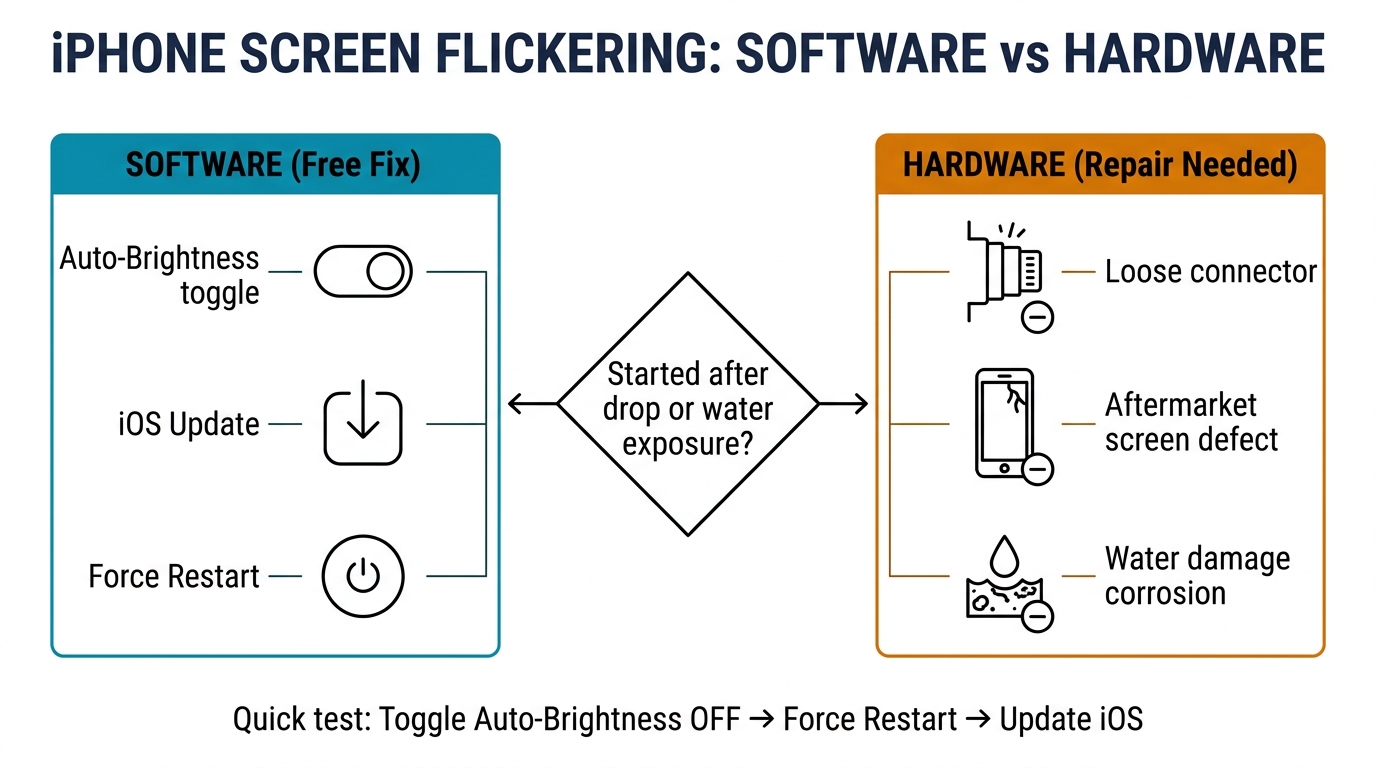
Screen flickering shows up as rapid brightness pulsing, flashing, or the display cutting in and out. It's one of the most reported iPhone screen problems and has both software and hardware causes.
Most common causes:
- Auto-brightness sensor overreacting (software — free fix)
- iOS update bug affecting display rendering (software — free fix)
- Loose display connector from a drop (hardware — $20–$50 reseat)
- Aftermarket screen with inconsistent backlight controller (hardware — screen replacement needed)
- Water damage causing corrosion on display connector pins (hardware — screen replacement or board cleaning)
Quick fix: Toggle off Auto-Brightness in Settings > Accessibility > Display & Text Size. If that doesn't help, force restart (Volume Up, Volume Down, hold Side button until Apple logo). Update to the latest iOS version.
When it's hardware: Flickering that started after a drop, gets worse with heat, or shows green/purple tints indicates physical damage. Flickering that started after a third-party screen replacement points to a low-quality display panel.
Repair cost: $0 (software fix) to $120–$320 (screen replacement depending on grade).
For a deep dive into every flickering cause and fix, see our complete iPhone screen flickering guide.
2. Ghost Touch (Screen Tapping Itself)
Ghost touch means your iPhone registers touches you're not making — apps open on their own, text gets typed randomly, and your phone seems to act independently. This can escalate to locking you out if it enters your passcode wrong repeatedly.
Most common causes:
- Screen protector creating false capacitive signals (environmental — free fix)
- Moisture on the screen surface (environmental — free fix)
- Non-MFi charger introducing electrical noise (environmental — switch charger)
- Damaged digitizer from impact (hardware — screen replacement)
- Low-quality aftermarket screen with poor digitizer calibration (hardware — screen re-replacement)
Quick fix: Remove the screen protector and case. Clean the screen with a dry microfiber cloth. If ghost touch only happens while charging, switch to the original Apple adapter. Force restart.
When it's hardware: If ghost touch persists after removing accessories, cleaning, force restarting, and updating iOS, the digitizer layer is damaged or defective. On phones with aftermarket screens, the replacement quality is the most likely culprit.
Repair cost: $0 (environmental fix) to $60–$320 (screen replacement).
Screen quality is directly linked to ghost touch recurrence — our iPhone ghost touch and screen quality guide explains why the digitizer grade matters for a lasting fix.
3. Black Screen (Phone On But Display Dead)
Your iPhone makes sounds, vibrates, and receives calls — but the screen shows nothing. This is different from a completely dead phone, and the distinction matters for diagnosis.
Most common causes:
- Dead battery showing no charge indicator (most common — charge for 30 minutes)
- Software crash freezing the display process (software — force restart)
- Display connector partially disconnected after a drop (hardware — $20–$50 reseat)
- Failed OLED/LCD panel (hardware — screen replacement)
- Logic board display driver failure (hardware — board repair $80–$150)
Quick fix: Plug into the original charger for 30 minutes. Force restart. If the phone vibrates or makes sounds during the force restart sequence, the phone is alive and the issue is the display — not the phone itself.
When it's hardware: A black screen that persists after charging and force restart is almost always hardware. The call test helps: call the phone from another device. If it rings, the phone works — the screen doesn't.
Repair cost: $0 (dead battery/software crash) to $60–$320 (screen replacement) to $80–$150 (logic board repair).
For the full diagnostic flowchart, see our phone screen not working diagnosis guide.
4. Lines Across the Screen
Vertical or horizontal lines on the iPhone screen — green, white, pink, or multi-colored — indicate physical damage to the display panel or its connection to the logic board.
Most common causes:
- Impact damage to the OLED panel creating micro-fractures in the pixel grid
- Flex cable partially disconnected or damaged
- Display driver IC malfunction on the logic board
- Pressure damage (phone sat on, bent in back pocket)
Quick fix: Force restart. If lines appeared after an iOS update, check for a newer patch — rare software rendering bugs can produce temporary line artifacts. But in 95% of cases, lines are hardware damage.
When it's hardware: Almost always. A single thin line that appeared after a drop is the OLED panel cracking internally. Multiple lines or color bands suggest flex cable damage. Lines that shift position when pressing on different areas of the screen point to a loose connector.
iPhone model notes:
- iPhone X/XS: Particularly prone to green line failure — a known OLED defect that can appear even without drops. Apple addressed some units under warranty extension.
- iPhone 12/13: Lines after drops typically indicate the OLED panel has cracked internally, even if the front glass is intact.
- iPhone 14+: The modular display design makes connector-related lines easier to fix (reseat only, no screen replacement needed in some cases).
Repair cost: $20–$50 (connector reseat) to $120–$320 (screen replacement) to $80–$150 (logic board IC repair).
5. OLED Burn-In
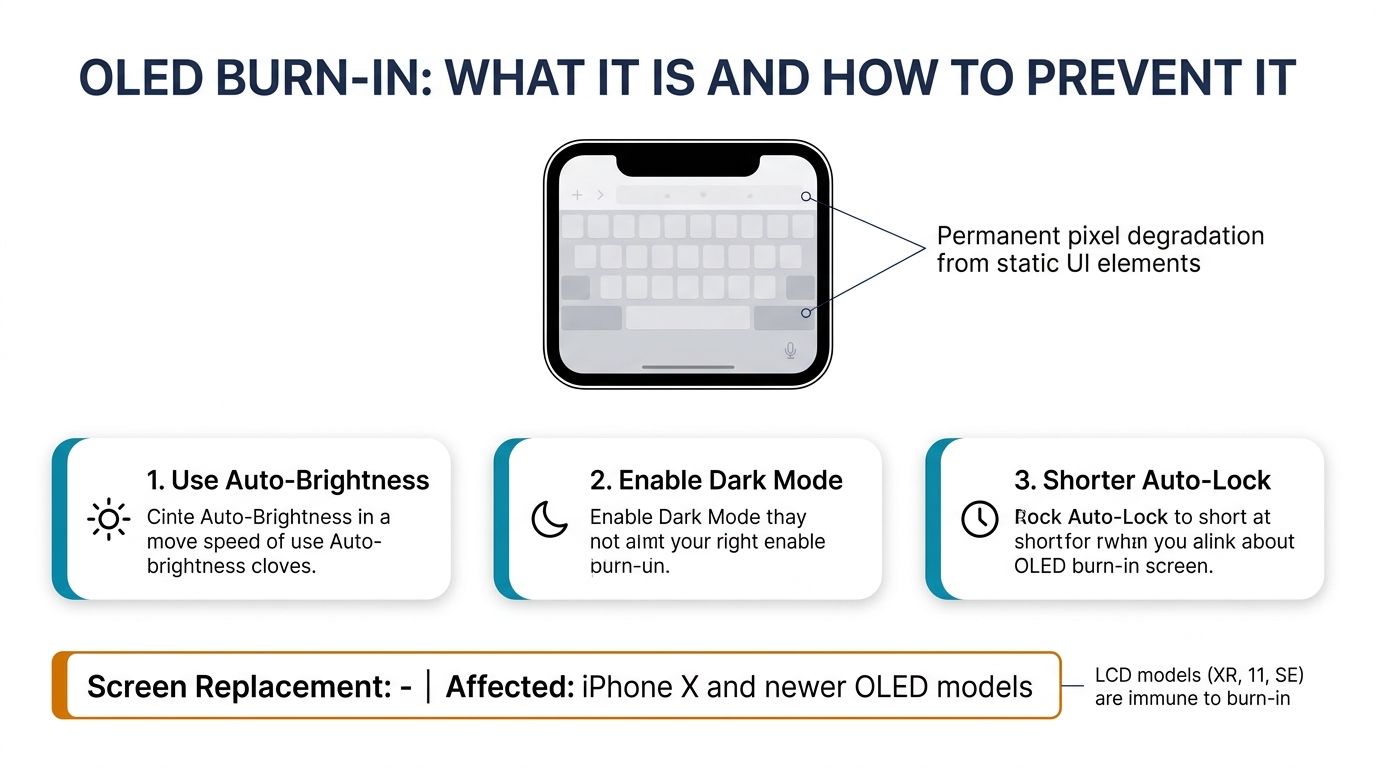
Burn-in shows up as faint ghost images permanently visible on the screen — usually the keyboard outline, navigation bar, or status bar icons. It's a characteristic of OLED technology (iPhone X and newer, excluding iPhone XR, 11, and SE which use LCD).
Most common causes:
- Static UI elements displayed at high brightness for extended periods
- Always-On Display running with the same content for months
- Navigation apps keeping the same map/status bar visible for hours daily
What it actually is: OLED pixels emit their own light, and each pixel degrades slightly with use. Pixels displaying bright static content degrade faster than surrounding pixels, creating a visible difference. This is permanent — it's physical degradation of the organic materials in the pixel, not a software issue.
Can it be fixed? No software fix exists. Burn-in is permanent pixel degradation. The only complete fix is screen replacement. However, mild burn-in is only visible on solid-color backgrounds at low brightness — most people never notice it during normal use.
Prevention matters more than repair:
- Use Auto-Brightness to reduce peak brightness
- Rotate wallpapers and avoid leaving the same image on screen for hours
- Use Dark Mode to reduce pixel wear on status bars and keyboards
- Set shorter Auto-Lock timers
Repair cost: $120–$320 (screen replacement) if burn-in is severe enough to bother you. For mild burn-in, most users simply live with it.
6. Green Tint at Low Brightness
A green or grey wash visible on the screen at low brightness — particularly noticeable on solid dark backgrounds — affects certain iPhone OLED models. This is different from the bright green lines described in Problem #4.
Most common causes:
- OLED panel characteristic at low voltage (all OLED screens have some non-uniformity at minimum brightness)
- Panel batch variation — some manufacturing batches are worse than others
- iOS update changing display calibration behavior
- Panel degradation after extended use
Affected models: Most commonly reported on iPhone 11 Pro, iPhone 12 Pro, and iPhone 13 Pro. Apple released software updates (iOS 14.6 and later) that improved low-brightness calibration on affected models.
Quick fix: Update to the latest iOS version. If the green tint is mild and only visible at the lowest brightness in a dark room, this may be within the normal range for OLED technology. A severe green tint that appeared suddenly or covers large portions of the screen at normal brightness levels is a hardware defect.
Repair cost: $0 (iOS update resolves it) to $180–$320 (screen replacement for hardware defect). Apple has replaced displays for free on some units where the green tint is clearly a manufacturing defect — contact Apple Support to check if your serial number qualifies.
7. Unresponsive Touch (Partial or Full)
The screen displays everything fine, but tapping, swiping, or typing doesn't register — either across the entire screen or in specific zones. This is a digitizer issue, separate from display issues.
Most common causes:
- Software glitch after update (software — force restart fixes it)
- Screen protector or moisture blocking touch (environmental — remove and clean)
- Digitizer flex cable partially disconnected (hardware — connector reseat)
- Digitizer damage from impact (hardware — screen replacement)
- Touch controller IC failure on logic board (hardware — board repair)
Quick fix: Remove screen protector and case. Force restart. Check Settings > Accessibility > Touch for accidentally enabled Touch Accommodations. If touch only fails in one area (like the top inch of the screen), it's almost certainly hardware — that area's digitizer sensors have failed.
Partial vs full unresponsiveness matters for diagnosis:
- Full screen unresponsive = likely software crash, loose connector, or touch IC failure
- Top or bottom strip unresponsive = digitizer damage in that zone, or flex cable issue
- Random spots unresponsive = digitizer degradation, often from an old or cheap aftermarket screen
Repair cost: $0 (software fix) to $20–$50 (connector reseat) to $60–$320 (screen replacement).
8. Screen Problems After Third-Party Repair
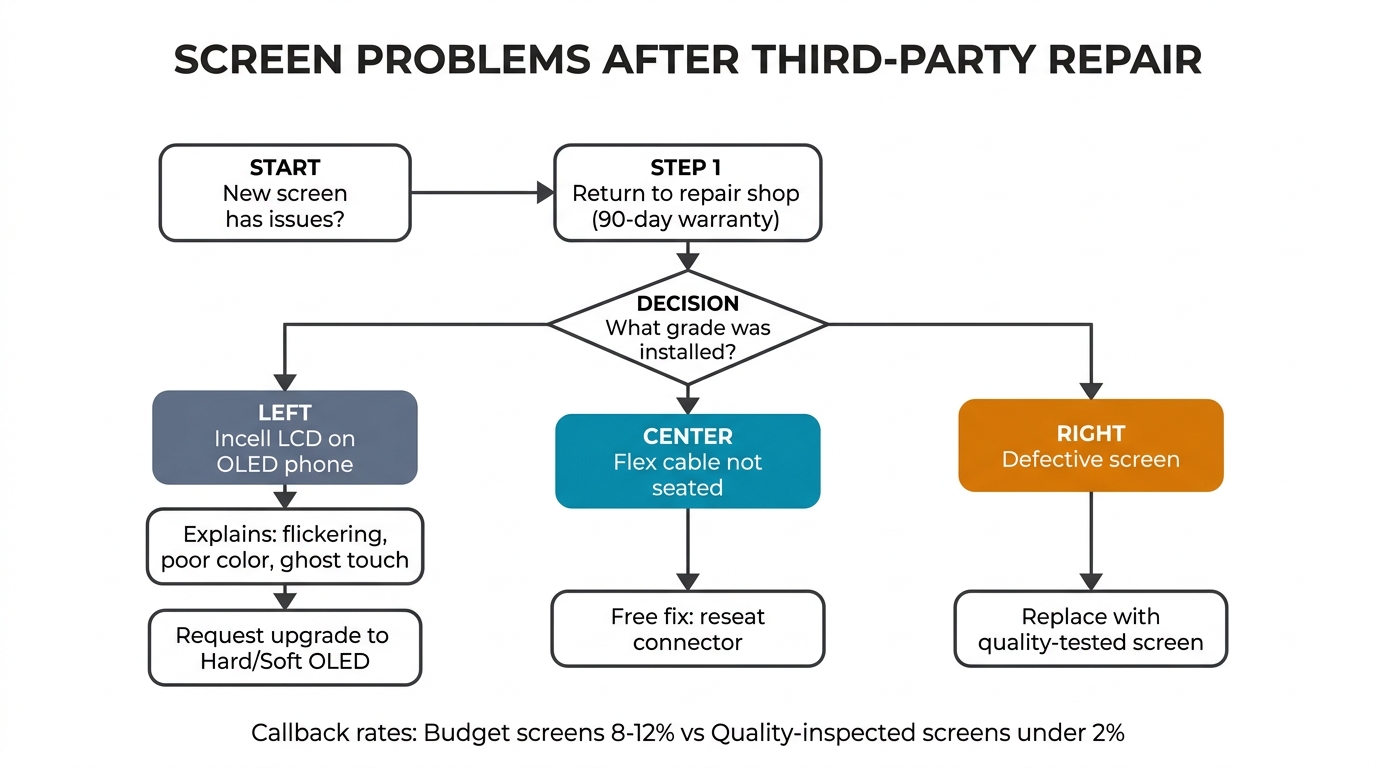
This is the meta-problem that ties all the others together: you had your screen replaced at a third-party shop, and now you're experiencing flickering, ghost touch, color inaccuracy, lower brightness, or touch dead zones that weren't there before.
Most common causes:
- Budget Incell LCD screen used as replacement on an OLED model
- Defective aftermarket screen from an inconsistent supplier
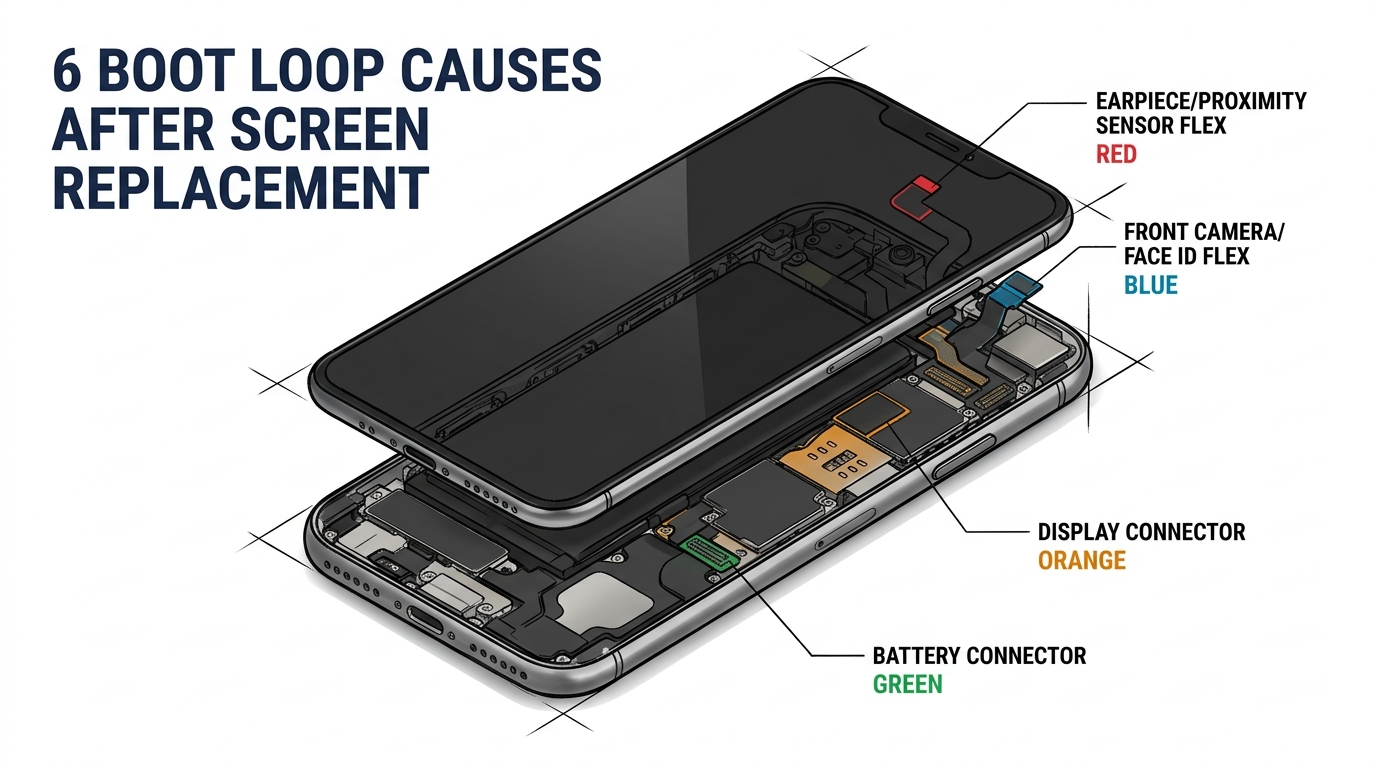
- Flex cable not fully seated during installation
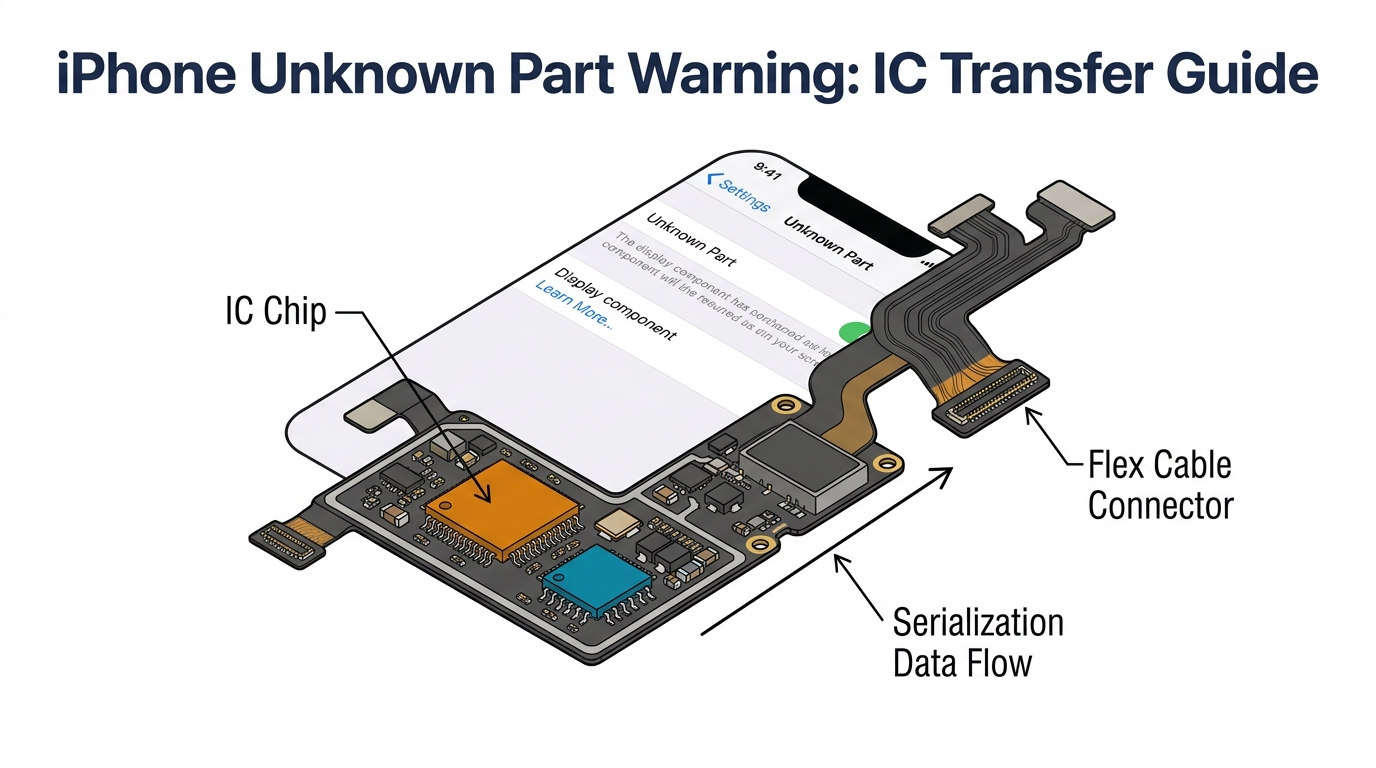
- Display not calibrated after replacement (True Tone lost)
What to do:
- Return to the shop — reputable shops warranty their work for 90 days to 12 months
- Ask what grade of screen was installed — if it was Incell LCD on an OLED phone, that explains the quality issues
- Request an upgrade to Hard OLED or Soft OLED if you want closer-to-original quality
- If the shop won't help, get a second opinion from another repair shop
The root cause is screen grade. The differences between Incell, Hard OLED, and Soft OLED screens explain why a $80 repair and a $250 repair on the same phone produce dramatically different results. You're not paying more for the same thing — you're paying for a fundamentally better display component.
For repair shops: post-repair screen complaints are overwhelmingly a sourcing issue, not a technician skill issue. Shops that source from wholesale suppliers with quality inspection processes see callback rates under 2%, compared to 8–12% for shops using the cheapest available screens.
iPhone Screen Problem Quick Reference
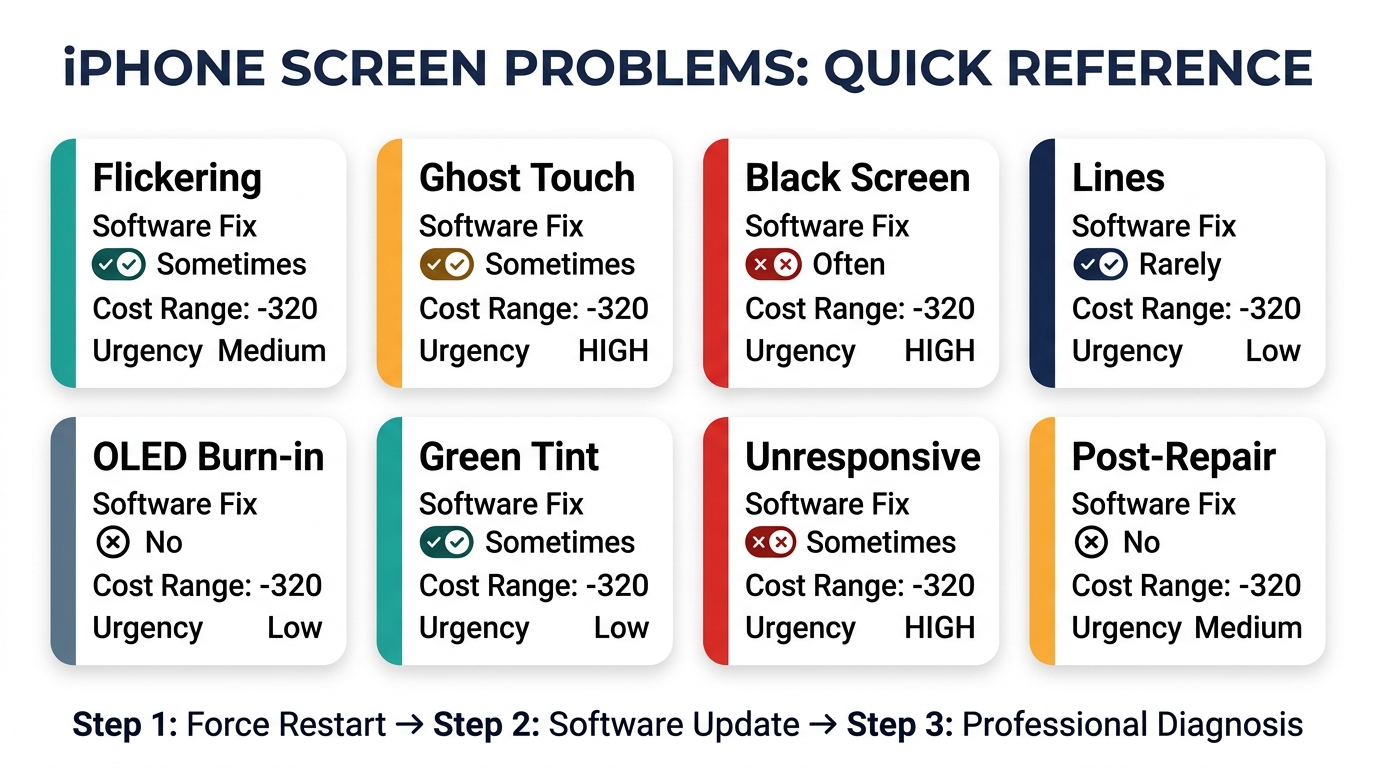
| Problem | Software Fix? | Hardware Fix Cost | Urgency |
|---|---|---|---|
| Flickering | Sometimes | $20–$320 | Medium — won't get worse fast |
| Ghost touch | Sometimes | $60–$320 | High — can lock you out |
| Black screen | Often | $20–$320 | High — phone unusable |
| Lines on screen | Rarely | $20–$320 | Low — cosmetic unless spreading |
| OLED burn-in | No | $120–$320 | Low — permanent but usually mild |
| Green tint | Sometimes | $0–$320 | Low — mainly cosmetic |
| Unresponsive touch | Sometimes | $20–$320 | High — phone unusable |
| Post-repair issues | No | $60–$320 (re-repair) | Medium — return to shop |
Frequently Asked Questions
How do I know if my iPhone screen problem is software or hardware?
Try a force restart first — if the problem disappears, it was software. If the issue started after a drop or water exposure, it's hardware. If it started after an iOS update with no physical damage, try updating to the latest patch.
As a final test, factory reset the phone without restoring a backup. If the problem persists on a clean install, it's hardware. Software issues are temporary and intermittent; hardware issues are persistent and usually worsen over time.
Are iPhone screen problems covered under warranty?
Manufacturing defects are covered under Apple's standard one-year warranty and AppleCare+. Accidental damage (drops, water) is only covered by AppleCare+ with a $29 service fee. Apple has run specific service programs for known defects — the iPhone X touch module program and iPhone 12 green tint issue are examples. Check Apple's support page for your model to see if a program exists.
Why do screen problems happen after a screen replacement?
Screen problems after a third-party replacement are almost always caused by the quality of the replacement screen. Budget Incell LCD screens lack the display quality and digitizer precision of OEM or higher-grade aftermarket screens. Flickering, ghost touch, and color issues are common with low-grade replacements. The fix is upgrading to a better screen grade — Hard OLED or Soft OLED — which provides near-original performance.
Should I fix my iPhone screen or buy a new phone?
Compare the repair cost to the phone's current value. For any iPhone 13 or newer, even a premium $300 Soft OLED repair is far below the phone's $500+ value — repair makes sense. For iPhone 12, the math still works for mid-tier repairs ($150–$200). For iPhone 11 or older worth under $200, only budget repairs ($60–$100) make financial sense. See our complete iPhone screen replacement cost guide for model-by-model pricing.
Can I prevent iPhone screen problems?
A quality case with raised edges prevents most impact damage. A tempered glass screen protector absorbs cracks that would otherwise damage the display. Avoid extreme temperatures and moisture, and use MFi-certified chargers. Keep iOS updated.
If you ever need a screen replacement, invest in a higher-grade screen — Soft OLED or Hard OLED — to avoid the post-repair problems that cheap screens introduce.
The Bottom Line on iPhone Screen Problems
Most iPhone screen problems fall into two buckets: software issues that a force restart or iOS update fixes for free, and hardware damage that requires professional repair costing $60–$320 depending on the screen grade.
The single most important decision in any screen repair is the quality of the replacement screen. A $60 Incell repair might create new problems (flickering, ghost touch, poor color) that the original damage didn't cause. A mid-grade Hard OLED or premium Soft OLED replacement solves the immediate problem and delivers long-term reliability.
If you're a repair shop owner, the quality of your replacement screens directly determines your callback rate, customer satisfaction, and online reviews. Request wholesale pricing on tested, graded screens across all iPhone models — we supply Incell, Hard OLED, and Soft OLED with quality inspection on every batch.