

iPhone 15 Screen Replacement: The Real Cost, Quality Grades & What Repair Shops Won't Tell You
Last quarter, a repair shop owner in Birmingham messaged us in a panic. He'd ordered 30 iPhone 15 screens from a supplier advertising "Original OLED quality" at £45 each. The screens looked perfect. Passed his visual check. The first ten installations went smoothly.
Then the returns started.
Customers complained about "yellowish whites" and "weird colour shifting at angles." Within three weeks, 8 screens came back. His Google rating dropped from 4.7 to 4.1. He lost roughly £2,400 in refunds, labour, and replacement parts — all because the screens were Incell panels relabeled as OLED.
This happens more than you'd think. And it's entirely preventable.
We've been manufacturing and supplying iPhone screens from Shenzhen's Huaqiangbei district for over 10 years. In this guide, we'll break down exactly what an iPhone 15 screen replacement actually costs, why prices vary so wildly, and the 3-minute test that tells you whether a screen is worth fitting — before you install it.
What an iPhone 15 Screen Replacement Actually Costs in 2026
Let's cut through the noise. Here's what you'll pay depending on the route you take:
| Route | iPhone 15 | iPhone 15 Plus | iPhone 15 Pro | iPhone 15 Pro Max |
|---|---|---|---|---|
| Apple Official (with AppleCare+) | £25 | £25 | £25 | £25 |
| Apple Official (without AppleCare+) | £249 | £279 | £279 | £329 |
| High Street Repair Shop (Soft OLED) | £80–£120 | £90–£130 | £100–£150 | £120–£180 |
| High Street Repair Shop (Incell) | £50–£80 | £60–£90 | £70–£100 | £80–£120 |
| DIY — Soft OLED Screen Part | £40–£65 | £45–£70 | £55–£80 | £65–£95 |
| DIY — Incell Screen Part | £20–£35 | £25–£40 | £30–£50 | £35–£55 |
The gap between Apple's £249 and a DIY Incell at £20 is massive. But here's what nobody tells you: the £20 screen and the £65 screen look identical in the listing photos. The difference only shows up after installation — and by then, your customer is already walking out the door.
The Quality Grade System Nobody Explains Properly
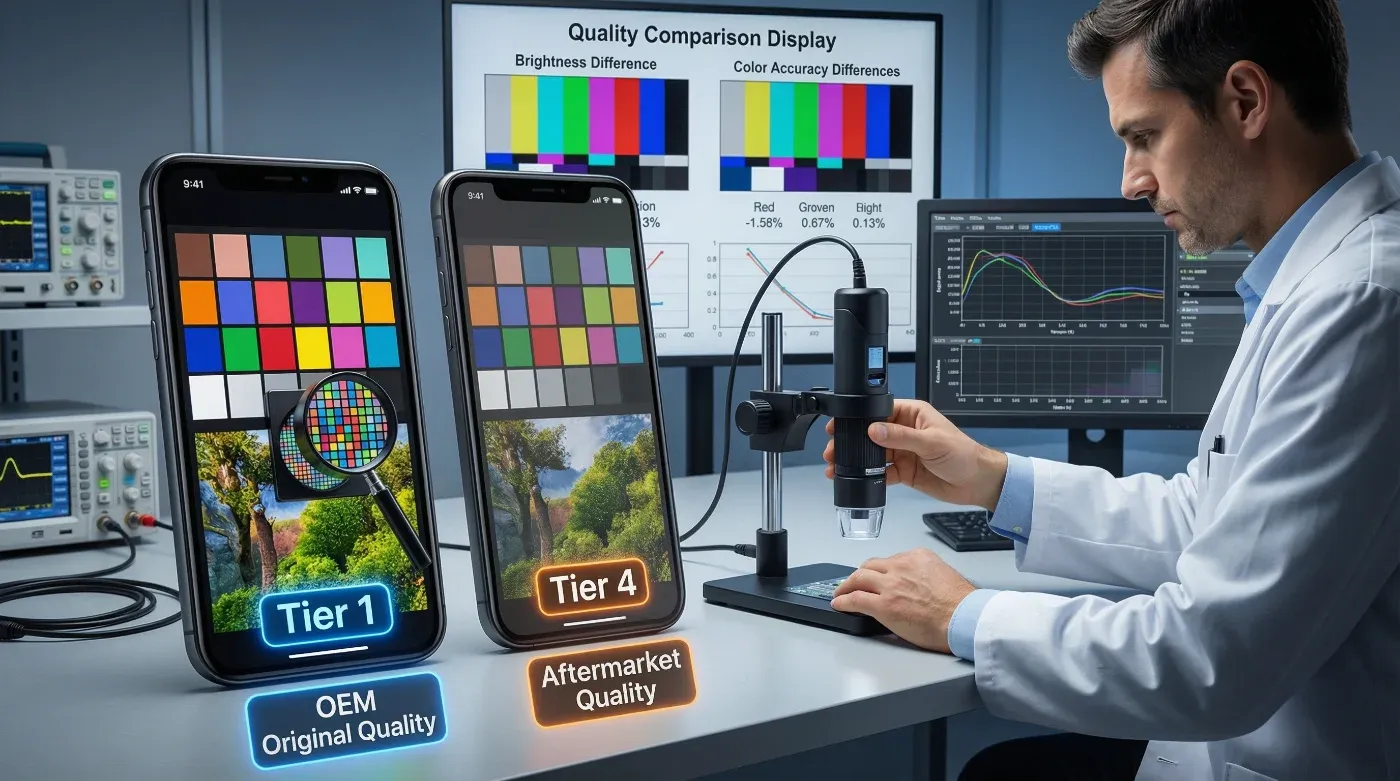
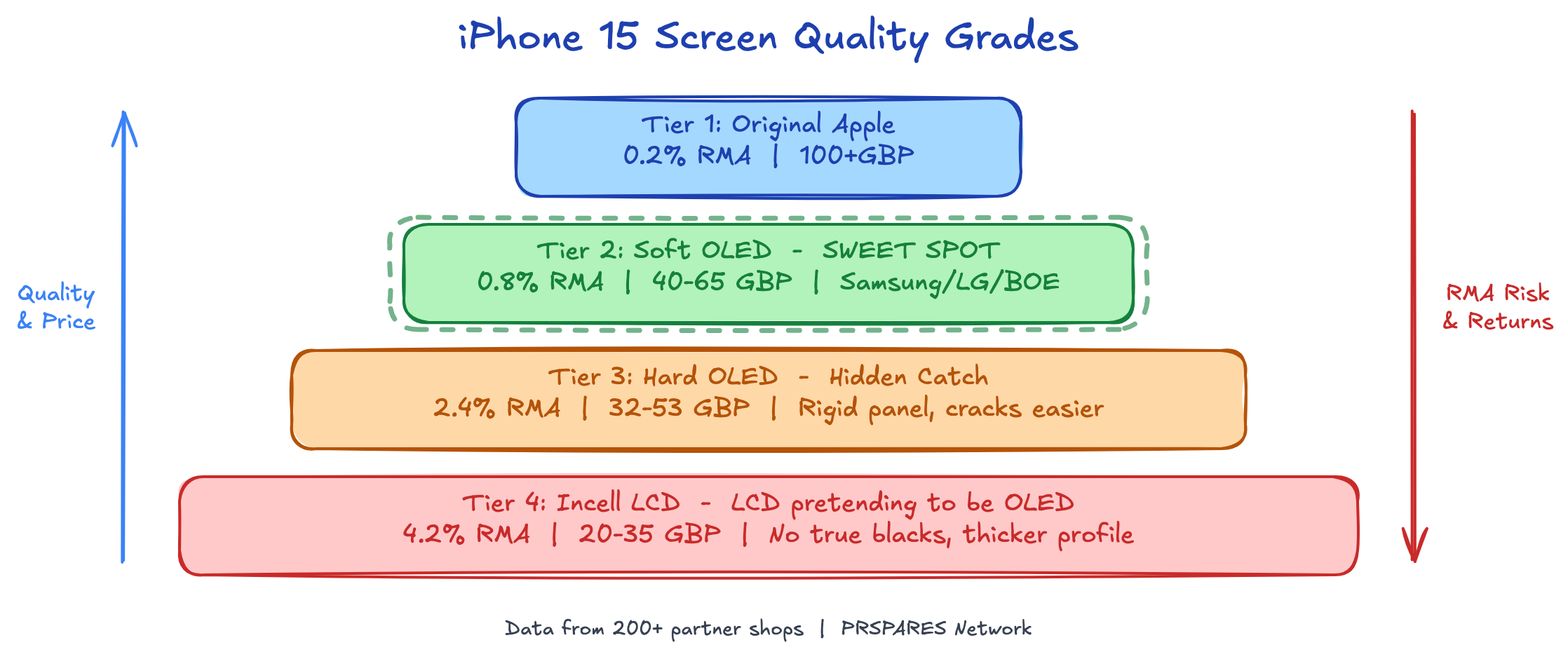
This is where most guides fail you. They'll say "buy a good quality screen" without explaining what that actually means. Here's the real hierarchy, straight from the factory floor:
Tier 1: Original Apple Screen (原装屏)
Genuine Apple displays pulled from donor phones or sourced through Apple's parts programme. Perfect colour accuracy, True Tone support, full brightness range. You'll pay £100+ for the part alone, and supply is inconsistent.
Who should use this: Shops serving premium customers who check Settings > Display for the "Genuine Apple Part" message.
Tier 2: Soft OLED (柔性OLED)
This is the sweet spot for most repair shops. Soft OLED uses a flexible OLED panel (similar technology to Apple's original) with an aftermarket flex cable and backplate. Colour accuracy is 90-95% of original. Viewing angles are excellent. True Tone won't work unless you transfer the original screen's IC chip.
The insider detail: Not all Soft OLED is equal. The panel itself comes from Samsung, LG, or BOE. Samsung panels command a £5-8 premium but have noticeably better blacks. If your supplier can't tell you which panel manufacturer they use, they're mixing batches (混货) — and your quality will be inconsistent.
Who should use this: Any shop that wants low return rates and happy customers. Our data from 200+ partner shops shows Soft OLED has an average RMA rate of 0.8%.
Tier 3: Hard OLED (硬性OLED)
Uses a rigid OLED panel instead of flexible. Slightly thicker, slightly less vibrant, but still genuine OLED technology. Costs about £8-12 less than Soft OLED per unit.
The hidden catch: Hard OLED has a 2.4% average RMA rate in our network — three times higher than Soft OLED. The rigid panel is more prone to cracking during installation and more sensitive to frame warping. For a shop doing 20 iPhone 15 repairs a month, that's roughly one extra return every two months. Factor in the labour cost of a redo (£15-20) and the customer goodwill damage, and the "savings" evaporate.
Who should use this: Budget-conscious shops with experienced technicians who can handle the trickier installation.
Tier 4: Incell LCD (Incell屏)
This is where things get controversial. Incell screens use LCD technology with in-cell touch integration. They're dramatically cheaper — but they're LCD pretending to be in an OLED phone.
What your customers will notice:
- Blacks appear dark grey (LCD can't produce true black)
- Lower contrast ratio (1500:1 vs OLED's 1,000,000:1)
- Slightly washed-out colours
- Thicker profile — some cases won't fit properly
What your customers probably won't notice:
- Touch responsiveness is actually comparable
- Brightness is adequate for indoor use
- Durability is often better than OLED (LCD panels are harder to crack)
Who should use this: Shops targeting price-sensitive customers who prioritise function over display quality. Also fine for phones being resold or used as secondary devices.
The 3-Minute Test That Saves You Thousands
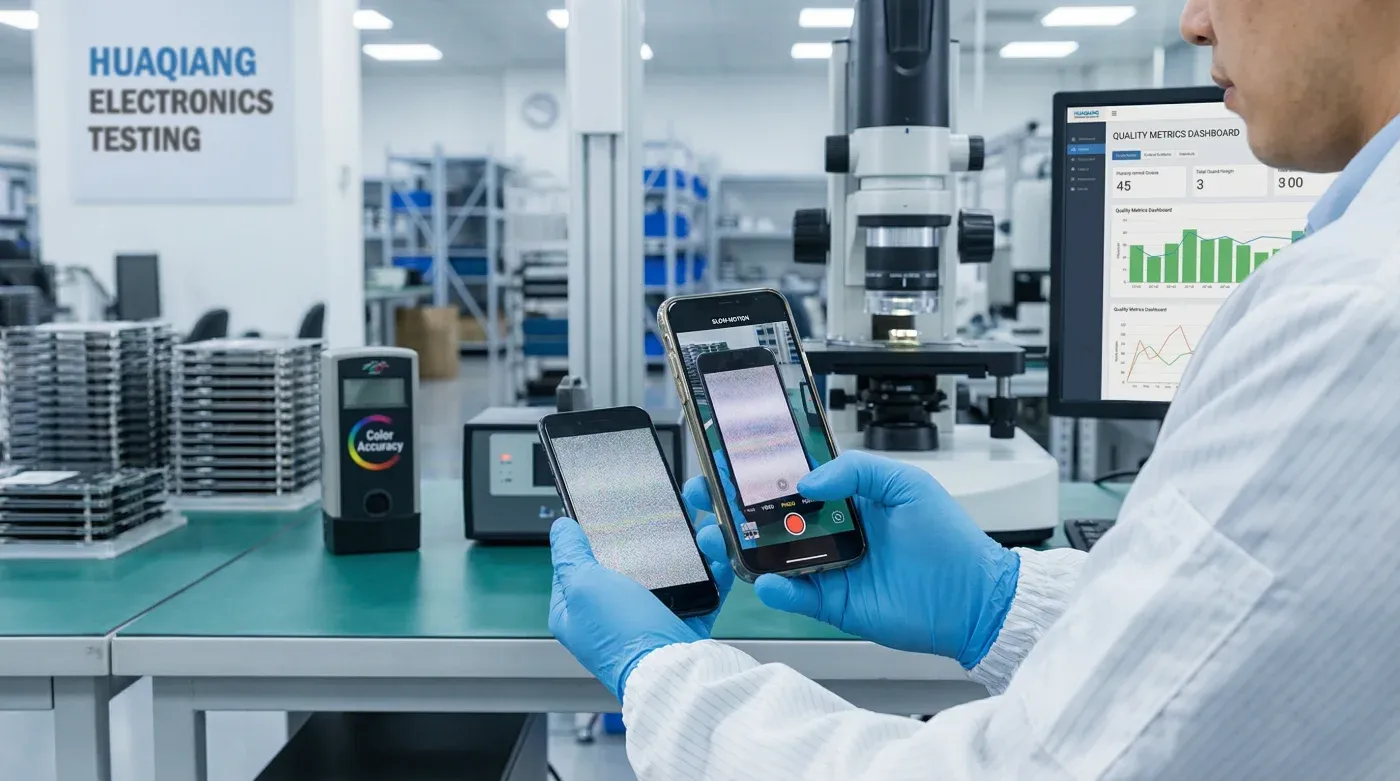
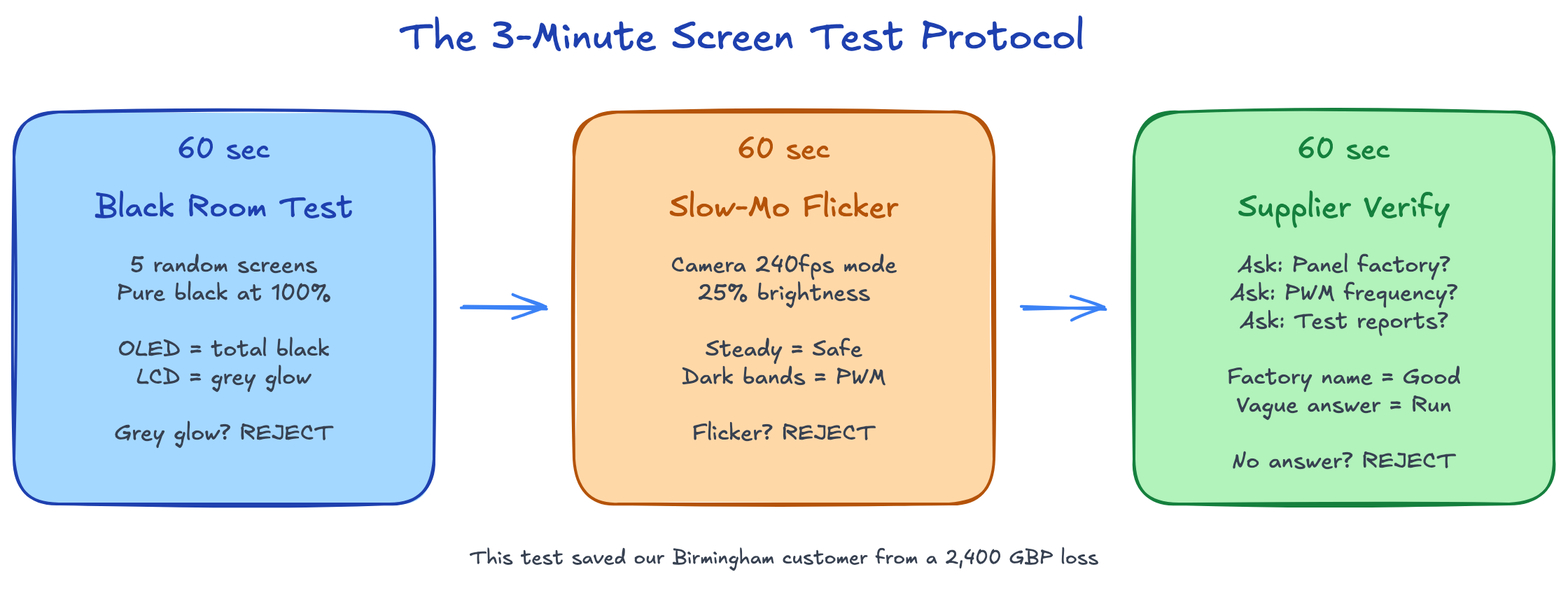
Here's the exact protocol we use at our Huaqiangbei facility before shipping any batch. You can do this with nothing more than your phone camera:
Test 1: The Black Room Test (60 seconds)
Pull 5 random screens from your shipment. Power each one on and navigate to a pure black screen (use darkblackscreen.com or just open a black image). Set brightness to 100%.
- OLED (pass): Screen is completely black. You shouldn't be able to tell where the screen ends and the bezel begins.
- LCD/Incell (fail): You'll see a faint grey glow, especially at the edges. This is LCD backlight bleed. If a supplier sold you "OLED" and you see this, reject the entire batch.
Test 2: The Slow-Mo Flicker Test (60 seconds)
Open your iPhone camera and switch to slow-motion mode (240fps). Point it at the test screen set to 25% brightness on a white background.
- Safe screen: Steady, no visible flickering in the slow-mo footage.
- Dangerous screen: Visible dark bands rolling across the screen. This is low-frequency PWM dimming — it causes eye strain and headaches. This is the exact issue that cost our Birmingham customer £2,400.
Why this matters: Some factories sell screens that failed QC inspection. These rejects often have PWM frequencies below 240Hz (the safe threshold is generally considered 480Hz+). They look fine to the naked eye but cause problems over extended use.
Test 3: The Supplier Verification (60 seconds)
Send your supplier this message: "这批屏幕是哪个面板厂的?PWM频率多少?有检测报告吗?"
Translation: "Which panel factory made this batch? What's the PWM frequency? Do you have test reports?"
- Good supplier: Answers immediately with a factory name (Samsung SDI, LG Display, BOE), a PWM spec, and can provide documentation.
- Middleman/red flag: Hesitates, gives vague answers like "top quality" or "same as original," or doesn't understand the question.
The rule of thumb: If your supplier answers your WeChat at 2am within 5 minutes but can't name the panel factory, they're a trader, not a manufacturer. Traders can't guarantee batch consistency.
DIY iPhone 15 Screen Replacement: Step-by-Step
If you're doing this yourself, here's the condensed version. This assumes you have a Soft OLED replacement screen, a pentalobe screwdriver, suction cup, spudger, and a heat gun or iOpener.
Before you start: Back up your phone. Disable Find My iPhone. Power off completely.
- Remove the pentalobe screws (2x) at the bottom of the phone, flanking the Lightning/USB-C port.
- Apply heat to the screen edges for 2-3 minutes. The iPhone 15 uses strong adhesive — don't rush this step. Insufficient heating is the #1 cause of cracked screens during removal.
- Suction cup + spudger to create a gap at the bottom edge. Work slowly around the perimeter. The iPhone 15 has clips along both sides — you'll feel them release.
- Open like a book from the left side (the right side has the flex cables). Don't open past 90 degrees.
- Disconnect the battery first. Always. Non-negotiable.
- Remove the display connector bracket (3 screws) and disconnect the 3 display flex cables.
- Transfer components: Move the earpiece speaker, front camera/sensor assembly, and the display shield plate from your old screen to the new one. This is where True Tone data lives — if you don't transfer the earpiece flex, you lose True Tone.
- Connect the new screen, reconnect the battery, and test before sealing. Check touch response in all four corners, Face ID, earpiece audio, and proximity sensor.
- Seal with new adhesive strips and reinstall the pentalobe screws.
The mistake most people make: Skipping the pre-seal test. If you seal the phone and then discover the proximity sensor doesn't work, you're doing the entire job twice.
The True Tone Problem (And How to Solve It)
Every iPhone 15 screen replacement guide mentions True Tone, but most get the solution wrong.
The situation: True Tone calibration data is stored on a small IC chip on the original screen's flex cable. When you fit a new screen, True Tone shows as "unavailable" in Settings unless you transfer this data.
Option 1: Transfer the earpiece/sensor flex assembly from the old screen to the new one. This carries the True Tone data with it. Free, but requires careful handling of a fragile component.
Option 2: Use a programmer tool (like the JC V1SE or i2C) to copy the True Tone data from the old screen's chip to the new screen. Costs £30-50 for the tool, but it's a one-time investment and takes 30 seconds per screen. Essential for any repair shop doing volume.
Option 3: Ignore it. Honestly, most customers won't notice True Tone is missing unless they specifically check Settings. But if you're a repair shop, this is the kind of detail that separates a 4.5-star Google rating from a 4.8.
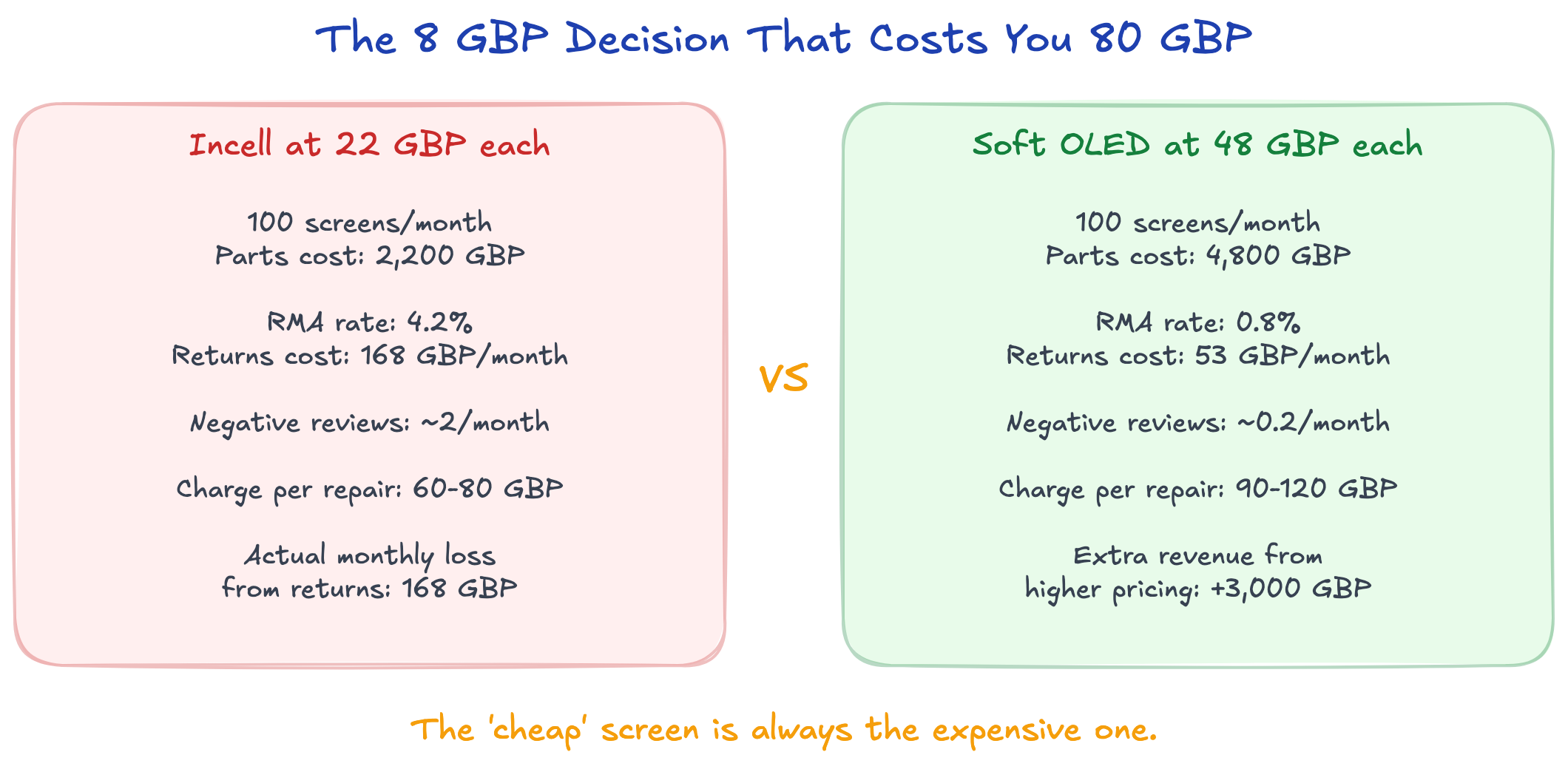
The £8 Decision That Costs You £80
Here's the maths that most repair shops get wrong:
Scenario A: Incell screens at £22 each
- 100 screens/month = £2,200 parts cost
- Average RMA rate (our data): 4.2%
- Returns: 4.2 screens × £22 (part) + £18 (labour) = £168/month in losses
- Customer complaints leading to negative reviews: ~2/month
Scenario B: Soft OLED screens at £48 each
- 100 screens/month = £4,800 parts cost
- Average RMA rate (our data): 0.8%
- Returns: 0.8 screens × £48 (part) + £18 (labour) = £53/month in losses
- Customer complaints leading to negative reviews: ~0.2/month
The real cost difference: £2,600/month in parts, minus £115/month in saved returns = £2,485 net difference.
But here's what the spreadsheet misses: the Soft OLED shop charges £30-40 more per repair. At 100 repairs/month, that's £3,000-4,000 in additional revenue — more than covering the parts premium.
The "cheap" screen is always the expensive one.
Frequently Asked Questions
How long does an iPhone 15 screen replacement take?
A professional technician completes it in 25-40 minutes. DIY first-timers should budget 60-90 minutes. Don't rush the adhesive heating step.
Will my iPhone 15 be waterproof after a screen replacement?
Not to the original IP68 standard. Aftermarket adhesive strips provide splash resistance but won't survive submersion. If water resistance matters, use Apple's official service.
Does iPhone 15 screen replacement affect Face ID?
Not if done correctly. Face ID components are on the earpiece/sensor flex assembly, not the display panel itself. As long as you transfer this assembly carefully, Face ID will work normally.
Can I replace just the glass on an iPhone 15?
Technically yes (glass-only refurbishment), but it requires a lamination machine costing £2,000+. For individual repairs, replacing the full screen assembly is the practical option.
What's the difference between iPhone 15 and iPhone 15 Pro screens?
The Pro models use a ProMotion display (120Hz refresh rate) with an LTPO backplane. Standard iPhone 15 uses 60Hz OLED. Pro screens cost more and require Pro-specific parts — they're not interchangeable.
How do I know if my replacement screen is genuine OLED?
Use the Black Room Test described above. On a pure black screen at full brightness, OLED produces absolute black with zero backlight bleed. Any grey glow means it's LCD/Incell, regardless of what the listing claims.
What to Do Monday Morning
-
Grab your phone right now and do the slow-mo test on one screen from your current inventory. Takes 30 seconds. If it flickers, you know why some customers complain about eye strain.
-
Before your next order, send your supplier this message:
请问这批iPhone 15屏幕的面板是哪个厂的?PWM频率是多少?有没有检测报告?
(Which factory made the panels in this iPhone 15 batch? What's the PWM frequency? Do you have test reports?)
If they don't understand the question, they don't understand quality.
-
Run the numbers on your actual return rate. Most shop owners guess it's "about 2%." Track it for one month. The real number usually surprises people.
Need iPhone 15 screens that pass all three tests? We test every batch at our Shenzhen facility before shipping and include the test documentation with every order. Request wholesale samples from PRSPARES — we'll send the QC reports so you can verify yourself.
PRSPARES has been manufacturing and supplying mobile phone repair parts from Shenzhen Huaqiangbei since 2015. We supply Soft OLED, Hard OLED, and Incell screens for all iPhone models with batch-level QC documentation and less than 1% RMA rates.